15
TV MODE MENU OPERATION
TUNING SETTINGS
Tuning Program
You may wish to do some additional
tuning.
1) Press [MENU] to enter menu
2) Press [>] twice to go to Tuning Menu
3) Press [\/] to select Tuning Program
4) Press [>] to enter menu
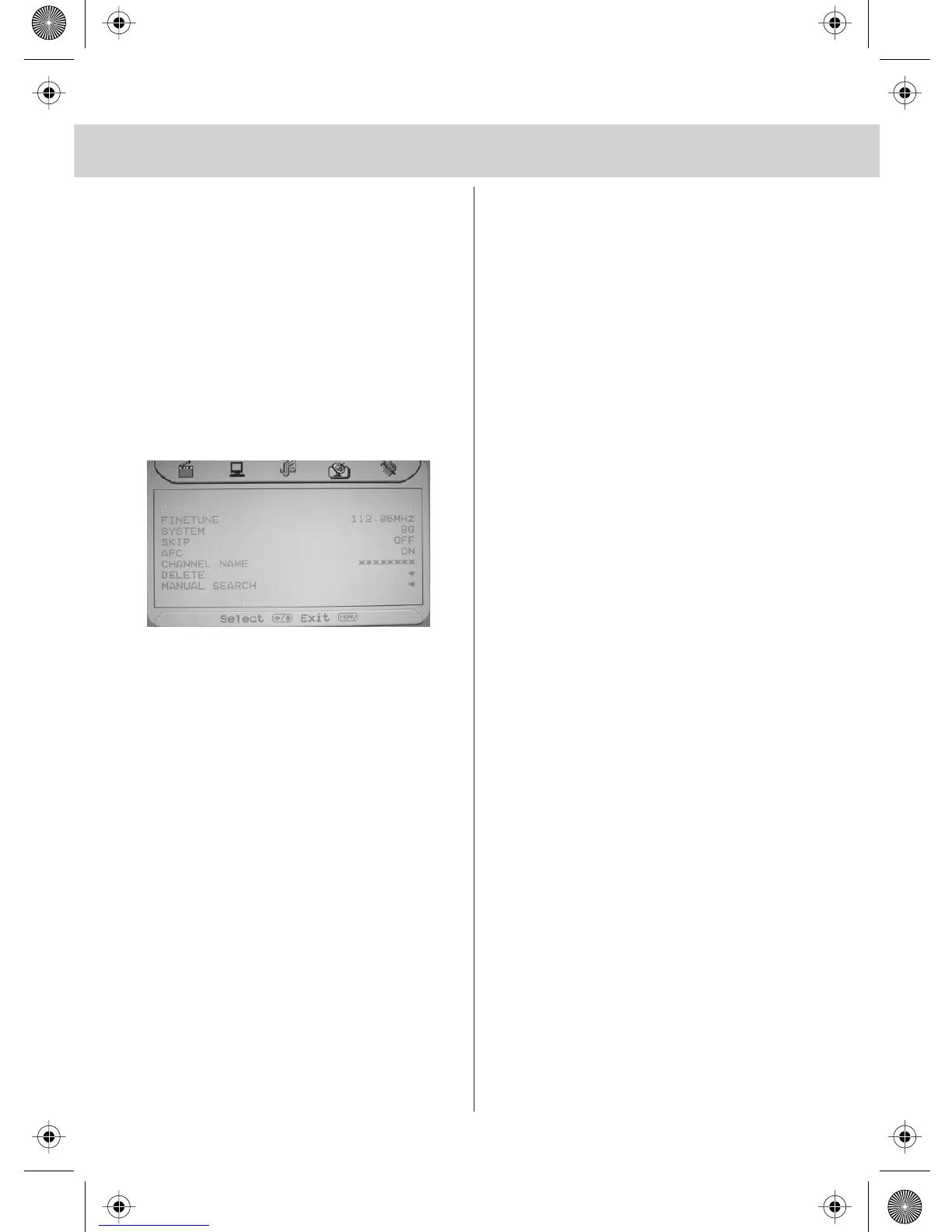
You are now in this menu. The following
can now be changed:
Fine Tune
You may wish to improve the picture
quality on certain channels.
Press [\/] until Fine Tune is highlighted and
Press [>] or [<] to adjust.
System
You may wish to improve the picture
quality on certain channels.
Press [\/] until System is highlighted and
Press [>] or [<] to change between the
different options.
Skip
If there is a channel that you do not wish
to view you can add ‘Skip’ to that channel.
When you press P+ or P- it will skip past
this channel.
Press [\/] until Skip is highlighted and
Press [>] to change to ON
AFC
Press [\/] until AFC is highlighted and
Press [>] to change to ON
Channel Name/Rename
This is to change the name of the channel
Press [\/] until Channel Name is
highlighted and Press [>] to enter name.
Press [\/] or [/\] to change the letters
and [>] to move to next letter.
Delete
You may wish to delete a channel if it has
not tuned in correctly or is repeated
Press [\/] until Delete is highlighted and
Press [>] to select. The Press [<] so
‘Yes’ is highlighted and Press [OK]
to delete.
Manual Search
You may wish to manual search if you
can’t find a certain channel or if you
wish to connect to a Satellite/Cable
box via RF/Aerial connector.
Press [\/] until Manual Search is
highlighted and Press [>] to enter menu.
Then Press [>] to scan downwards or
Press [\/] to move to scan upwards and
Press [>] to start.
5) Press [MENU] 3 times to exit.


 To Next Page