14
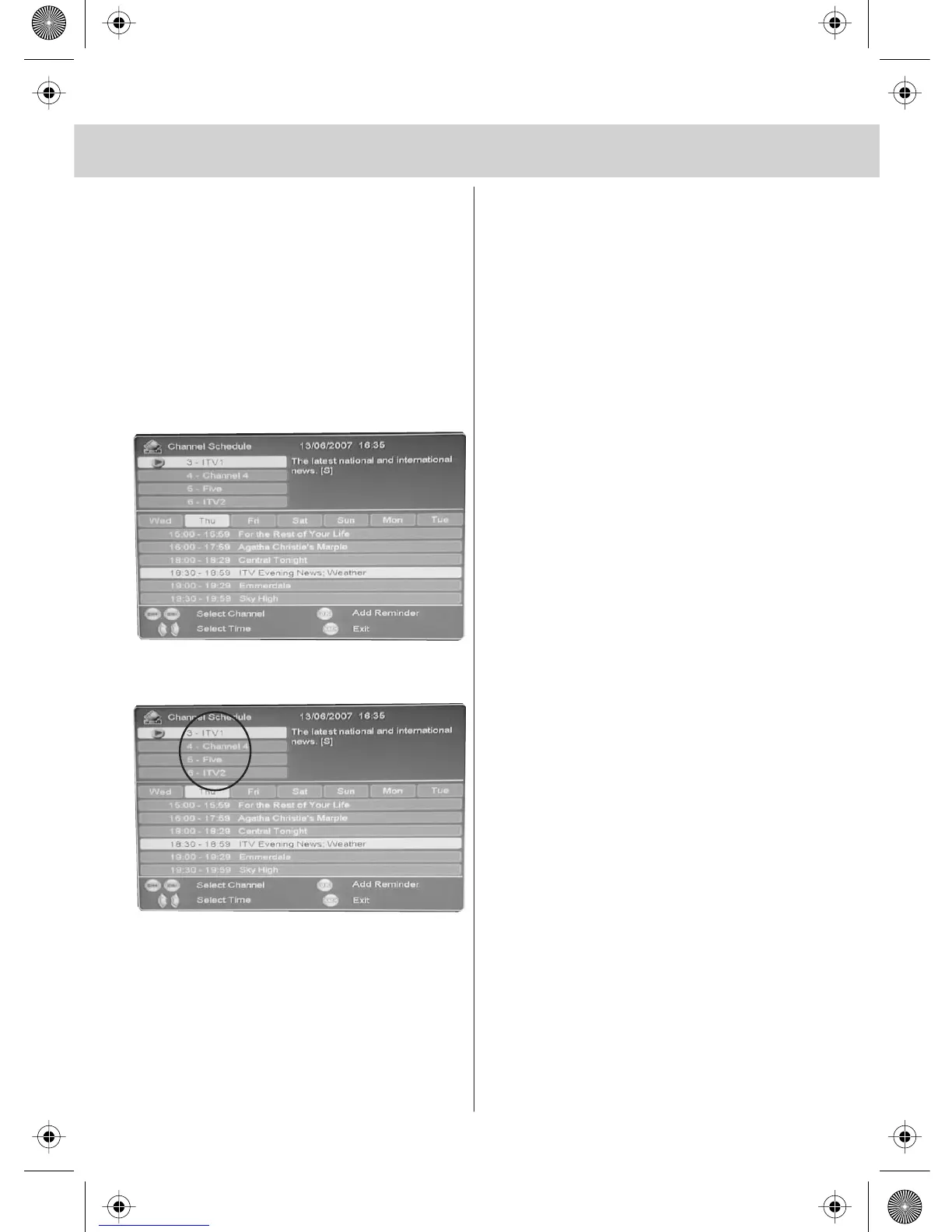
ELECTRONIC PROGRAM GUIDE (EPG)
The Electronic Program Guide is
available in DVB-T mode. It is a 7 day
TV guide and provides information
about forthcomming programs (where
supported by the broadcasted channel).
You can view the start and end time of all
programs and on all channels for the next
7 days.
It is very simple to operate.
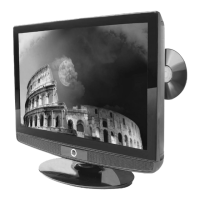
1) Press [EPG]. The following will appear
2) Press [CH+] or [CH-] to select channel
you wish to see information about
3) Press [\/] or [/\] to move through
the programs for the day highlighted
4) Press [>] or [<] to move through
the days of the week
In the top right hand corner will appear
information about the program you have
selected
5) Press [BACK] to exit EPG.


 To Next Page