EasyManua.ls Logo

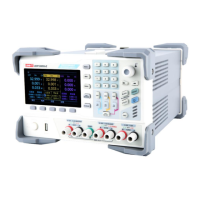
UNI-T UDP6900 Series - User Manual

UNI-T UDP6900 Series
44 pages
Print Icon
To Next Page IconTo Next Page
Loading...
User’s Manual
UDP6900 Series Digital Control Power Supply

Other manuals for UNI-T UDP6900 Series

Questions and Answers

  • D
    David HayesAug 6, 2025
    What to do if my UNI-T UDP6900 cannot power on?
    • S
      scottashleyAug 6, 2025
      If your UNI-T Power Supply doesn't power on, first ensure the power cable is properly connected. If the problem persists, check the fuse and replace it if it's blown. If neither of these solutions work, the power module may be faulty.

UNI-T UDP6900 Series Specifications

General IconGeneral
Output Current Range0-10A
Channels1
Display4.3-inch TFT LCD
InterfaceUSB
ProtectionsOVP, OCP, OTP
CoolingFan
Operating Temperature0°C to 40°C

Related product manuals