User’s Manual UDP6900 Series Digital Control Power Supply
Instruments.uni-trend.com 10 / 44
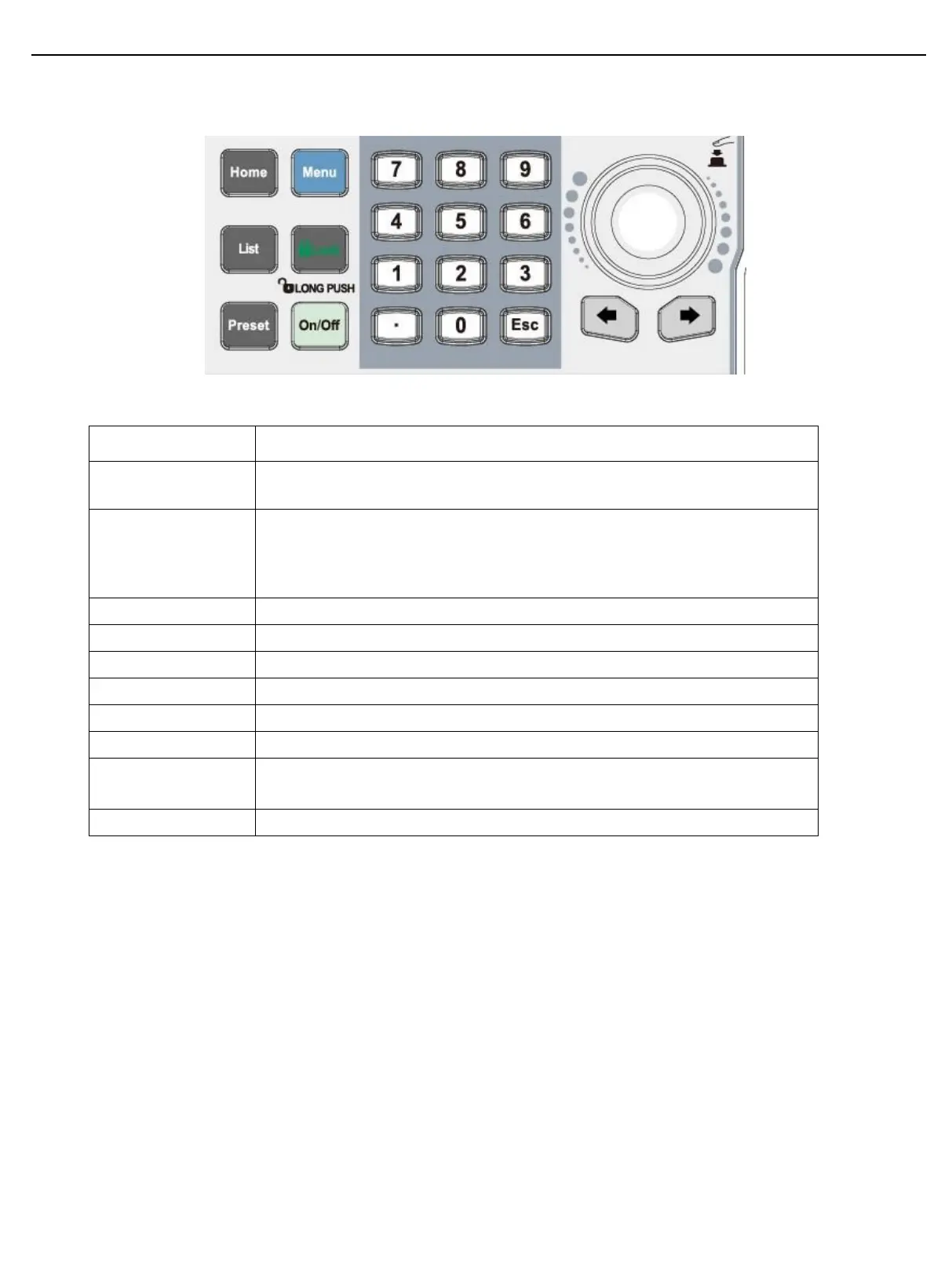
2.3 Keyboard
The home page is for displaying the output waveform and switching to a big
front.
The menu page is for settings, long press screenshot monitor, output
settings, system settings, user’s group management;
Long press to save the current page to USB memory when USB is connected.
Enable and switch list output or delay function.
Short press to lock, long press to unlock the keyboard.
Save the output settings, it can be directly loaded.
Set input value of the parameter
Arrow key is for switching step digit of the parameter.
Selecting and editing the numerical value. Short press the key is used to
“Enter/Confirm”.
Return to up one level/exit data editing



 To Next Page
 Loading...