Operating Manual for UTD2000/3000
83
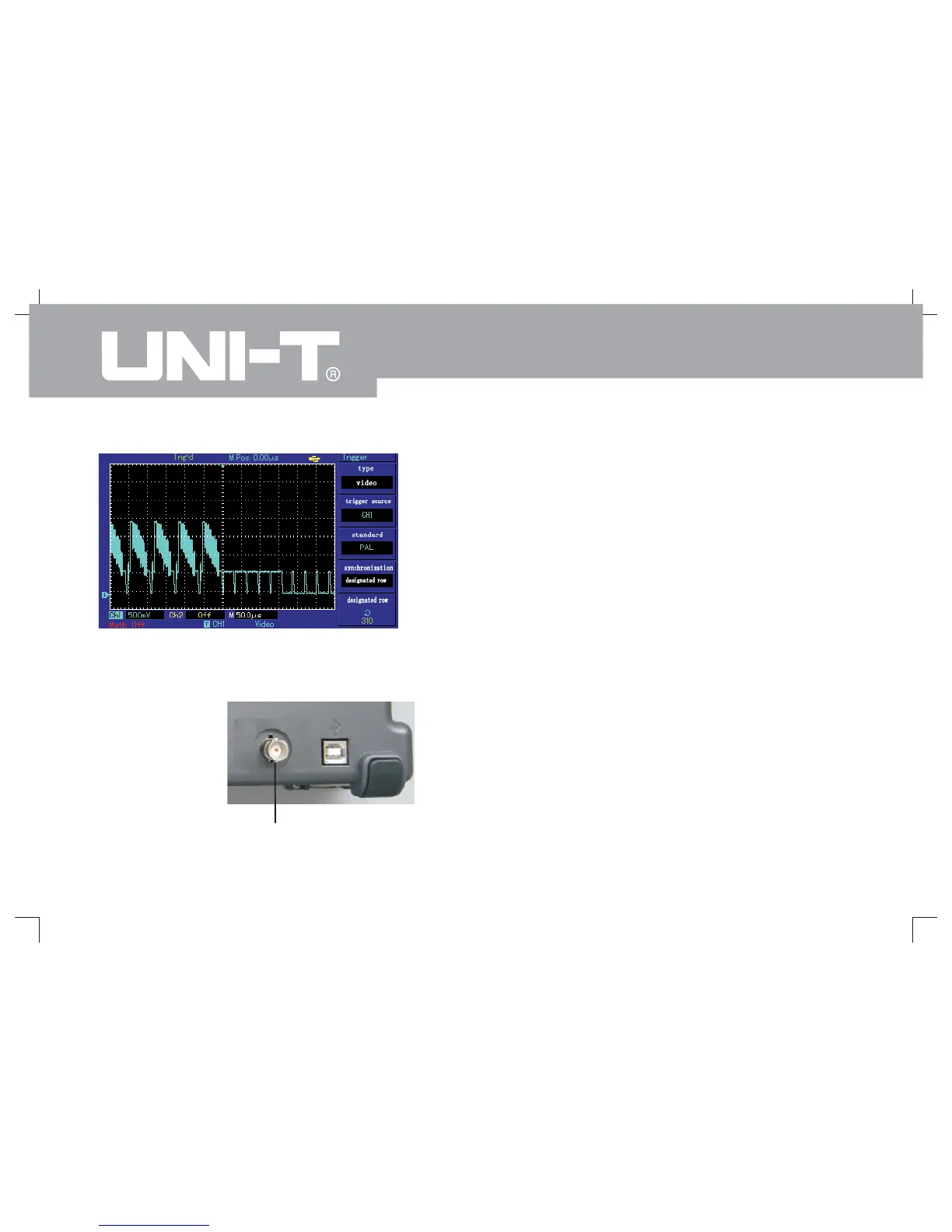
Figure 3-9 Trigger of video row
The eighth example: Pass/Fail detection
It has to check if input signal is within rule scope or
not. Fail refers to out of scope and Pass refers to within
the scope. Pass/Fail signal can be shown by output port
.
1. To press[UTILITY] button then press[F2]Enter into
Pass/Fail menu.
2. Setup of information source: Enter into Pass/Fail
menu then press[F2] to select information source.
3. Template setup: To press[F4] Enter into template
setup menu (Template). To press[F2] and[F3] shown in
Template menu to set horizontal and vertical tolerance
scope by multi-function knob, (namely, 1-200Pixel
toward horizontal direction and 1-100Pixel toward
vertical direction.) Please press F4 finally Return to
Pass/Fail menu.
4. Setup of output conditions: To press[F3] to set
output conditions shown in Pass/Fail menu.
5. To begin detection: To press[F1] to open
detection status shown in Pass/Fail menu.
of the rear panel
Rear panel of Pass / Fail output
Pass FailInterface Schematic/



 To Next Page