EasyManua.ls Logo

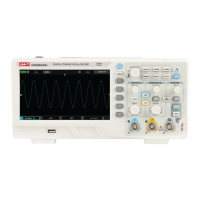
UNI-T UTD2000CEX-II Series - User Manual

UNI-T UTD2000CEX-II Series
47 pages
Print Icon
To Next Page IconTo Next Page
Loading...
UTD2000CEX-II Series
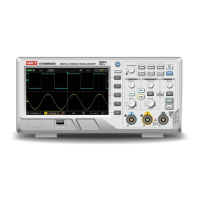
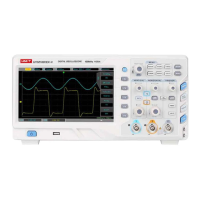
Digital oscilloscope
User Manual

Table of Contents

Questions and Answers

  • K
    Kayla BarnesAug 2, 2025
    What to do if the UNI-T UTD2000CEX-II oscilloscope screen is black after pressing the power button?
    • A
      Alexis HoldenAug 2, 2025
      If your UNI-T Test Equipment oscilloscope screen remains black after pressing the power button, try the following: * Ensure the power supply is properly connected. * Verify the power switch on the back of the oscilloscope is on, then press the front panel power key to check for a green light. * If you hear a sound, press the DEFAULT key, followed by the F1 key. If the device returns to normal, the backlight brightness was likely too low. * Restart the oscilloscope after completing these steps.
  • H
    Heather SwansonAug 7, 2025
    Why is the waveform not stable on my UNI-T Test Equipment oscilloscope?
    • L
      lauraloveAug 7, 2025
      If the waveform on your UNI-T Test Equipment oscilloscope isn't stable, consider these possible solutions: * Check the trigger source in the trigger menu to ensure it matches the signal and channel you are using. * Verify the trigger type. Normal signals should use edge trigger mode. Setting the correct trigger mode is essential for a stable waveform. * Adjust the trigger coupling to high or low frequency to suppress or eliminate noise caused by interference.
  • R
    Ronald Thompson IIIAug 12, 2025
    What to do if pressing RUN/STOP key on UNI-T UTD2000CEX-II displays no waveform?
    • J
      jennifermorenoAug 12, 2025
      If pressing the RUN/STOP key on your UNI-T Test Equipment results in no waveform being displayed, check the following: * Verify that the trigger method in the trigger menu is not set to normal and that the trigger level does not exceed the waveform range. If it does, center the trigger level or set the trigger mode to auto using the AUTO key. * Press the AUTO button to apply the above settings.
  • S
    Stacy BurtonAug 17, 2025
    What to do if waveform doesn't appear on UNI-T UTD2000CEX-II display after signal acquisition?
    • J
      James FrederickAug 17, 2025
      If a waveform does not appear on the display of your UNI-T Test Equipment after signal acquisition, check the following: * Ensure the probe is correctly connected to the signal test point. * Verify the signal line is connected to the analog channel input. * Confirm the input signal of the analog channel and ensure that the channel is open. * Make sure the probe is connected to the compensation piece and that the probe itself is working correctly. * Check for the presence of a signal to be detected. * Press the AUTO button to re-acquire the signal.
  • A
    Antonio BeltranAug 22, 2025
    Why is the measured amplitude on my UNI-T Test Equipment 10 times larger or smaller than expected?
    • P
      pachecofrankAug 22, 2025
      If the measured amplitude value on your UNI-T Test Equipment is 10 times larger or smaller than the actual value, ensure that the probe attenuation coefficient matches the attenuation of the probe being used.
  • A
    Aaron MartinAug 27, 2025
    How to fix a slow waveform refresh rate on UNI-T Test Equipment?
    • G
      gibsondianaAug 27, 2025
      To address a slow waveform refresh rate on your UNI-T Test Equipment, check if the acquisition mode is set to average and if the number of averages is too high. You can increase the refresh rate by reducing the average times or selecting other methods such as normal sampling.

Summary

General Safety Overview

Vertical Channel Settings

Channel Configuration

Details on opening, activating, coupling, and setting bandwidth for channels.

Trigger System Settings

Trigger System Interpretation

Explains trigger sources, modes (Auto, Normal, Single), and couplings.

Edge Trigger

Configuration for triggering on rising or falling signal edges.

Pulse Width Trigger

Setting trigger conditions based on pulse width duration.

Video Trigger

Configuration for triggering on video signals (NTSC, PAL).

Slope Trigger

Triggering based on signal slope rate and time.

Under-range Trigger

Triggering when a pulse crosses one level but not another.

Beyond-range Trigger

Triggering when signal exceeds defined high or low levels.

Horizontal System Settings

ROLL Mode Operation

Describes the ROLL mode for continuous waveform display.

Extended Window Feature

Using extended window for waveform zooming and analysis.

Mathematical Operations

Sampling System Settings

Display System Settings

Automatic Measurement

Automatic Measurement Menu

Accessing and configuring automatic measurement functions.

Measurement Parameter Details

Explanation of voltage, timing, delay, and user-defined parameters.

Cursor Measurement

Time Measurement with Cursors

Using cursors for precise time interval measurements.

Voltage Measurement with Cursors

Using cursors for precise voltage level measurements.

Auxiliary Function Settings

System Prompts and Troubleshooting

Troubleshooting Guide

Provides solutions for common issues like no display or unstable waveforms.

Technical Specifications

UNI-T UTD2000CEX-II Series Specifications

General IconGeneral
BrandUNI-T
ModelUTD2000CEX-II Series
CategoryTest Equipment
LanguageEnglish

Related product manuals