Service Manual UTS1000/3000 Series
Instruments.uni-trend.com 13 / 25
5. Disassembling
Removal tool
Use the following tools to remove or replace modules in the spectrum analyzer.
Model see disassembly steps
Used to disconnect RF connectors or ports
Prevents damage to the screen and knobs when removing the
grid
To prevent damage to devices caused by static electricity,
wear properly grounded anti-static clothing, wrist straps and
foot straps; effective anti-static mats
Remove the dust cover
The following procedure describes the removal and replacement of the rear cover.
prerequisites:
• To prevent electrostatic damage to components, wear a properly grounded antistatic wrist and foot
strap during installation, and use an antistatic mat in a tested antistatic environment.
Steps:
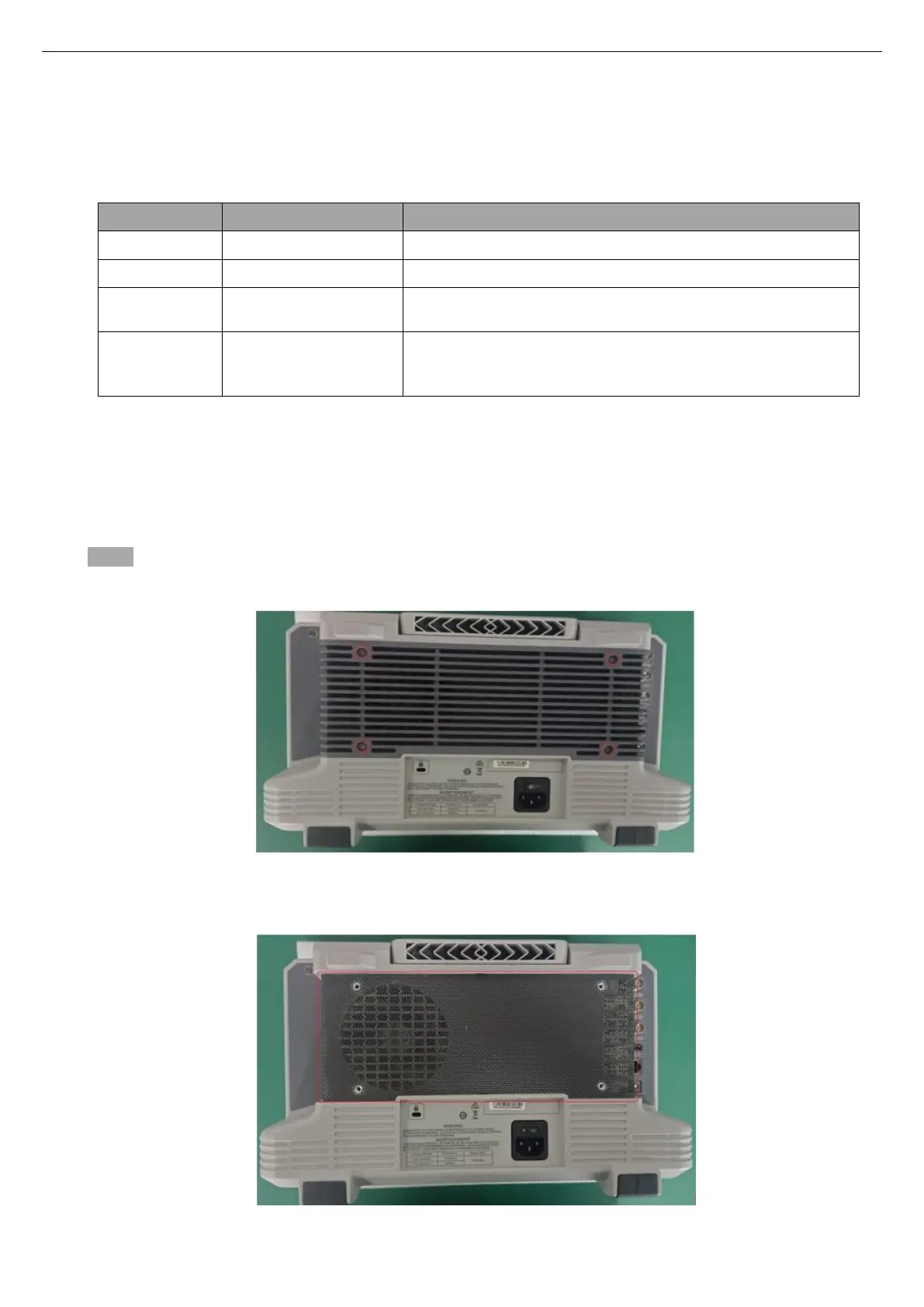
1. Use a T8 Torque screwdriver to remove the 4 screws that fix the dust cover and the rear cover of the rear
cover assembly, as shown in the figure below:
2. Remove the dust-proof net, as shown in the figure below, and then clean the dust-proof net.


 To Next Page
 Loading...