Part C. Operation Introduction
10
Bluetooth:
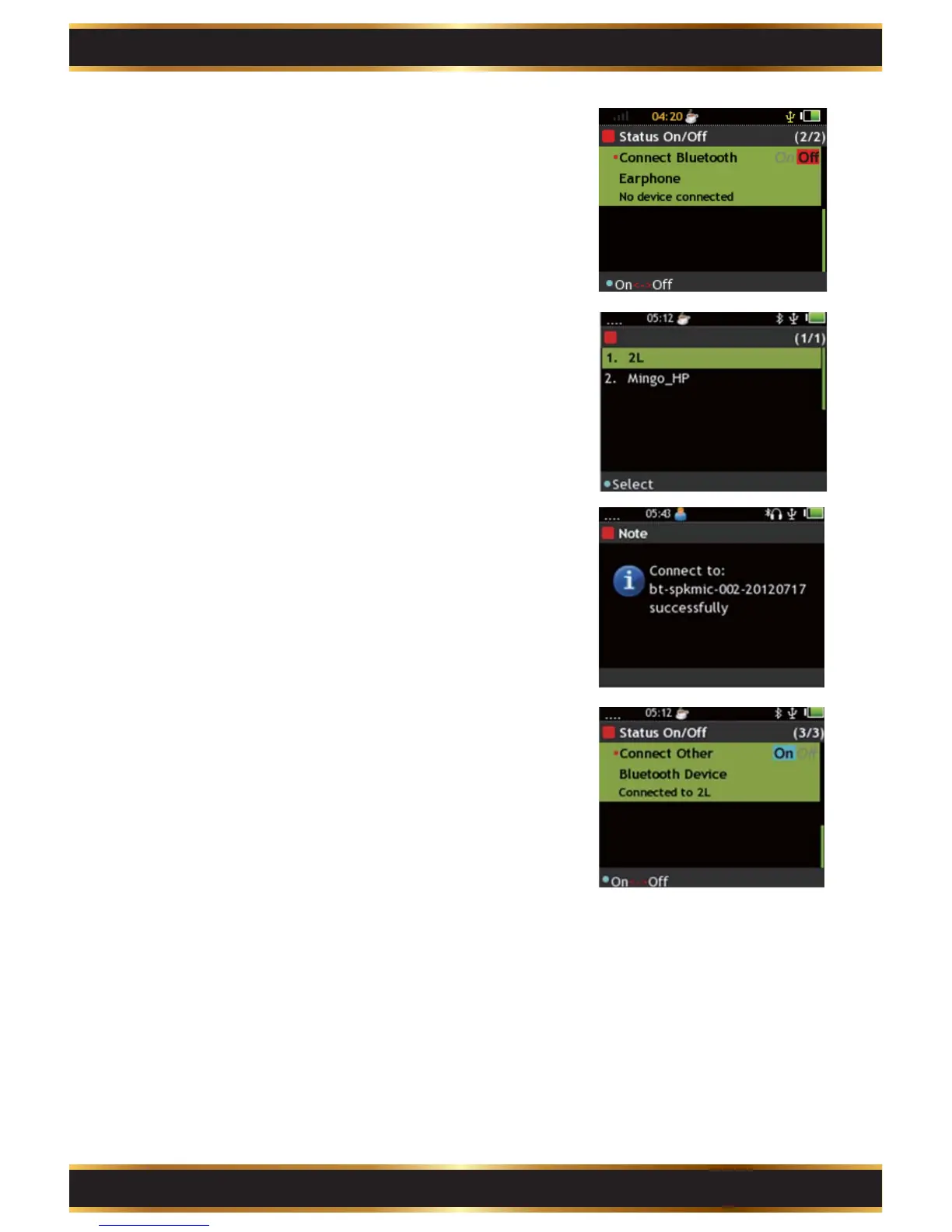
Bluetooth Device: Press the "K1" Key to enable or
disable the feature.
Connect Bluetooth Earphone: Press the "K1" Key
to start searching for the Bluetooth Earphone
devices.
Connect another Bluetooth Device: Press the “K1”
to start searching for Bluetooth devices other than
earphone.
If only a Bluetooth device is found, the G4 starts
pairing to the device. The G4 shows the pairing
status on the screen.
If there are 2 or more devices, use the Navigation
Key to select device and press the “K1” Key to start
pairing.
Press the “K1” Key to stop Bluetooth pairing.
3.



 To Next Page