C3. Function status
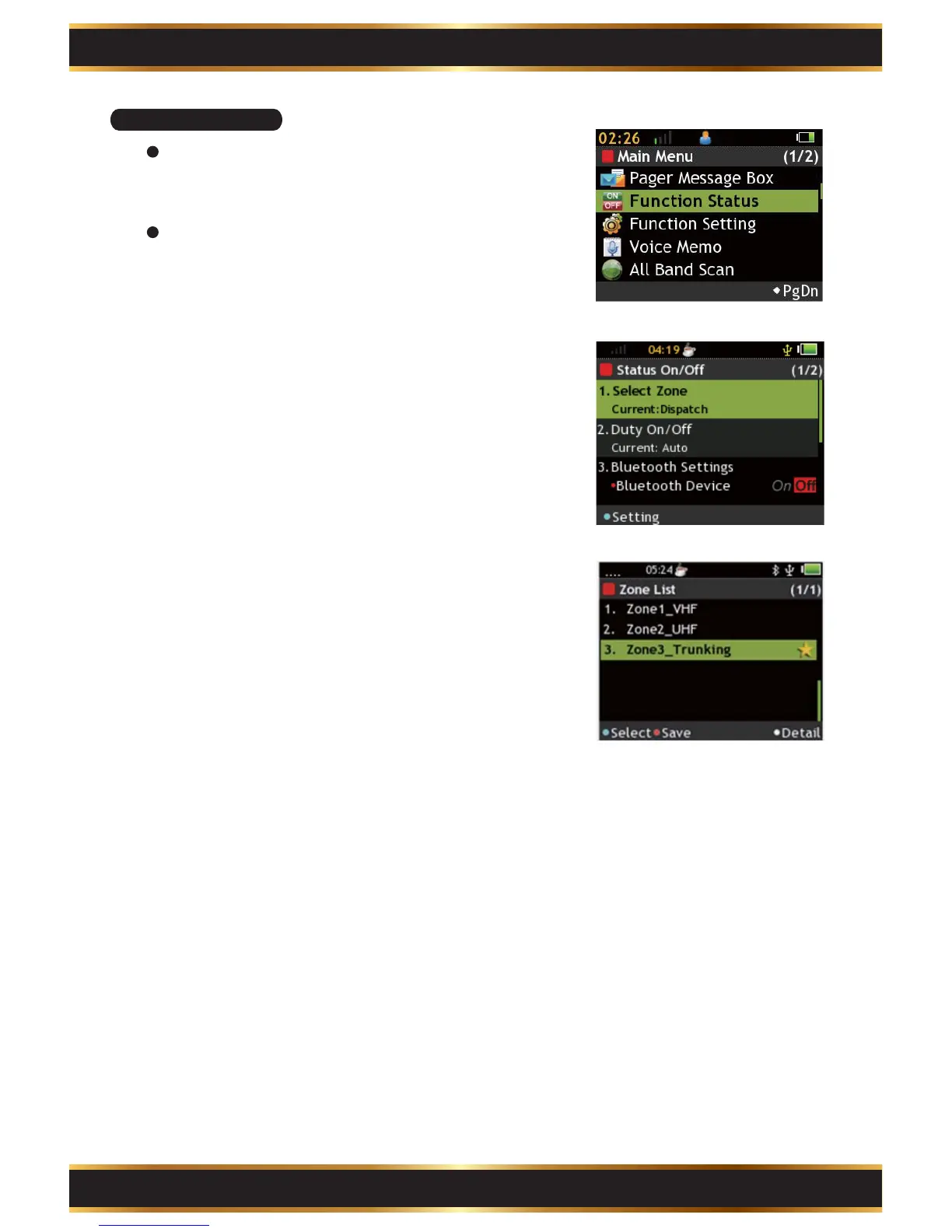
Enter Function Status:
Use
the
Navigation key to select Function Status in
the
Main Menu.
Select Zone:
Press the "K1" Key to enter setting screen. Use
the Navigation Key to select Zone and then press
the “K1” Key to confirm. Press the “K2” Key to save.
You can press the “K4” Key to check detailed
information of highlighted Zone.
On Off Duty:
Press the “K1” Key to enable or disable the feature.
If On Off Duty is disabled, the speaker is muted
when receiving messages.
Basic Operation:
Use the Navigation Key to select features to set.
1.
2.
Part C. Operation Introduction
9



 To Next Page