C4. Voice Memo Box
Part C. Operation Introduction
11
View and Manage Voice Memo in Voice Memo
Box.
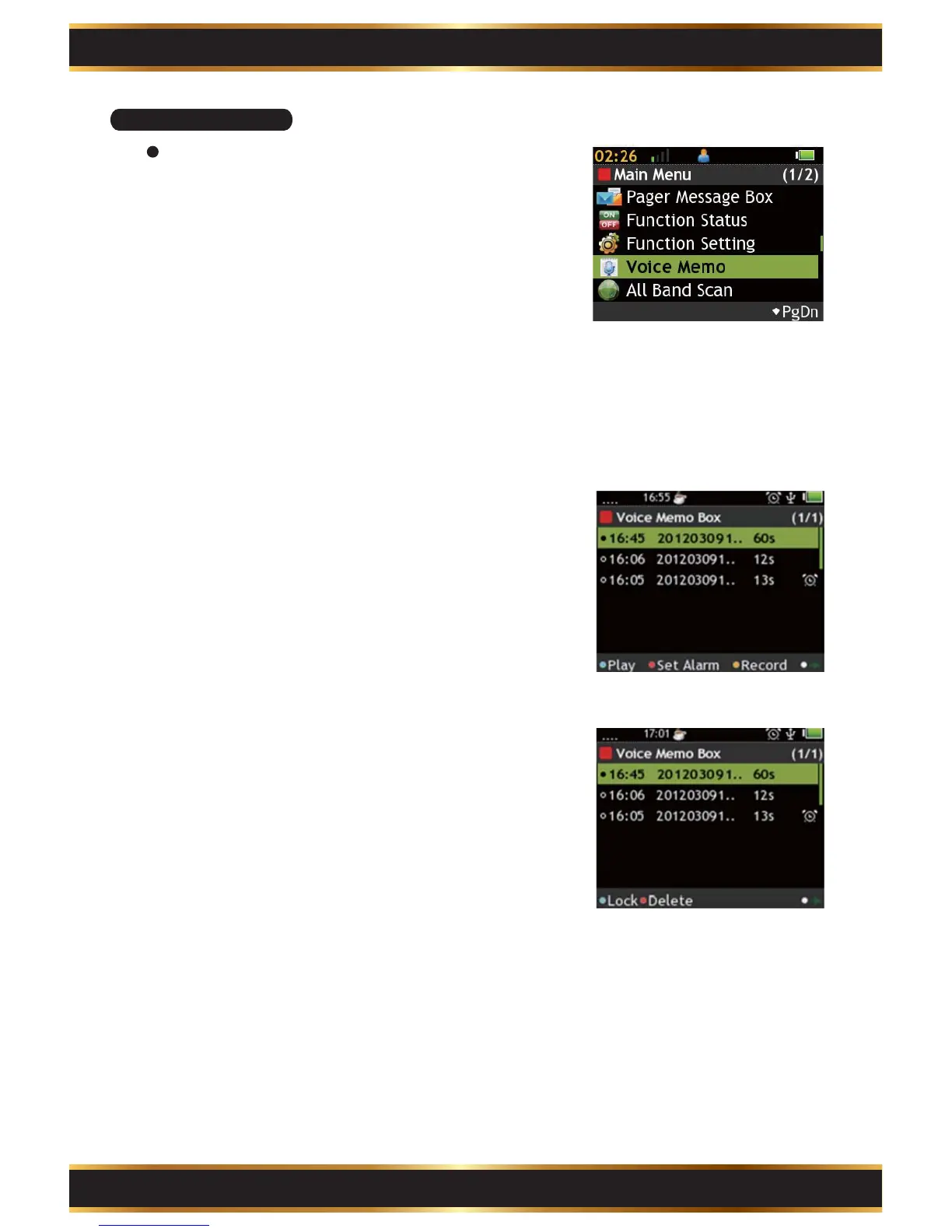
Enter Voice Record Box:
Use the Navigation Key to select the Voice Memo
Box in the Main Menu.
Record a New Voice Memo:
If there is no voice memo, press the “K1” Key to
start recording.
A. Press the “K1” Key to pause.
B. Press the “K4” Key to save the voice memo.
C. Press the “K1” Key to set the voice memo as
Alarm.
D. Press the “F2” Key to back to Voice Memo box.
1.
2.
Set Alarm:
A. Use the Navigation Key to move.
B. Press the “K1” Key to make highlighted value +5.
C. Press the “K2” Key to make highlighted value +1.
D. Press the “K3” Key to make highlighted value -1.
E. Press the “K4” Key to save.
4.
Voice Memo:
View and manage the voice memos.
Features page 1:
A. Press the “K1” Key to play highlighted voice memo.
B. Press the “K2” Key to set highlighted voice memo
as Alarm.
C. Press the “K3” Key to record a new voice memo.
D. Press the “K4” Key to switch to features page 2.
Features page 2:
E. Press the “K1” Key to lock/unlock the highlighted
item.
F. Press the “K2” Key to delete the highlighted item.
G. Press the “K4” Key to switch to features page 1.
3.



 To Next Page