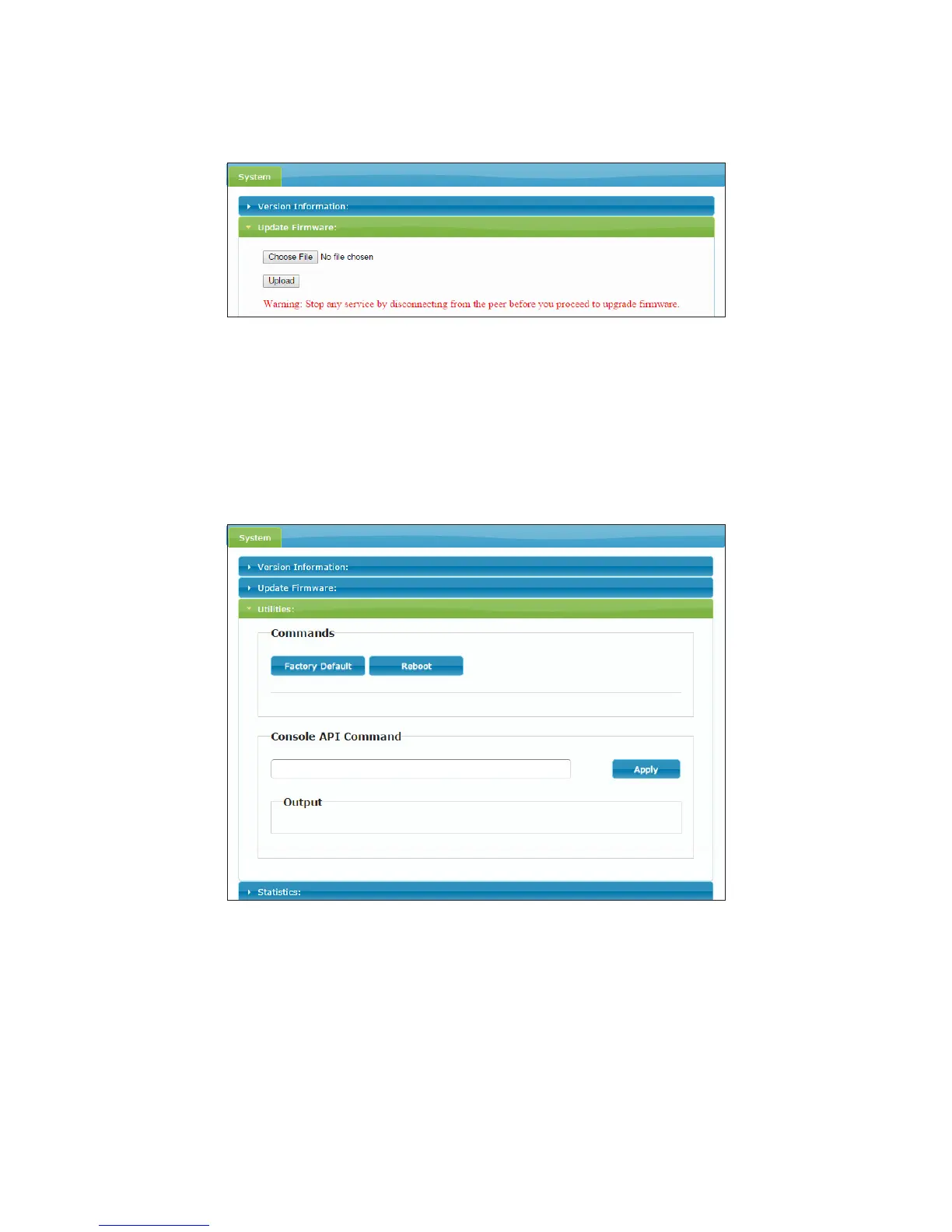
Upgrade
1. Click Update Firmware to drop down more options.
2. Click Choose File to select the desired file, and then click Upload.
3. Repeatedly the procedures above to update other units.
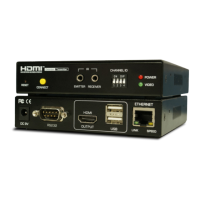
Restore the default and Reboot
1. Click Utilities to drop down more options.
2. Click Factory Default, and then click Apply to restore the system.
3. Click Reboot, and then click Apply to restart the system.
4. Repeatedly the procedures above to update other units.


 To Next Page