Need help?
Do you have a question about the Uniclass DX120 and is the answer not in the manual?
Illustrates the system's connection layout for reference and proper setup.
Details technical specifications for the DX120 model, including connectivity and physical attributes.
Lists the key features and capabilities of the DX120 KVM Extender system.
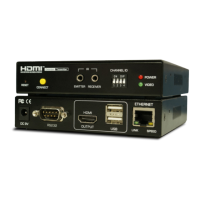
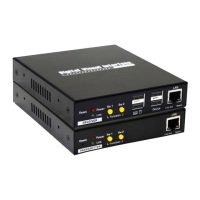
Identifies and describes the components and ports of the KVM Extender Transmitter unit.
Identifies and describes the components and ports of the KVM Extender Receiver unit.
Details technical specifications for the DX220 model, including connectivity and physical attributes.
Lists the key features and capabilities of the DX220 KVM Extender system.
Details technical specifications for the VX120 model, including connectivity and physical attributes.
Lists the key features and capabilities of the VX120 KVM Extender system.
Details technical specifications for the VX220 model, including connectivity and physical attributes.
Lists the key features and capabilities of the VX220 KVM Extender system.
Outlines necessary configurations and features for the network switch to ensure optimal performance.
Guides on initial system setup and connection based on DIP switch settings for compatibility.
Step-by-step instructions for setting up the Transmitter unit and its connections.
Step-by-step instructions for setting up the Receiver unit and its connections.
Explains hotkey sequences for controlling the system and selecting connected PCs.
Describes the functions of the momentary switches (SW1 and SW2) for mode selection and control.
Guide to accessing and configuring the system via its web interface for advanced settings.
Instructions for updating the device firmware to access new features or fixes.
Steps for resetting the system to default settings and rebooting the device.
Contact information and guidance for obtaining technical assistance and support.
Regulatory compliance statements regarding FCC and CE certifications for the device.

 To Next Page

 General