
 To Next Page
R
Ricky BeckerSep 4, 2025
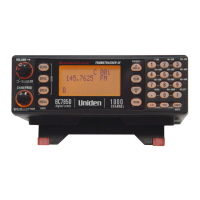
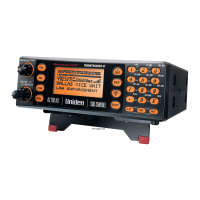
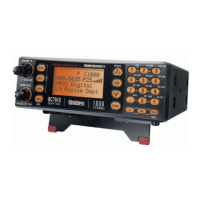
How to fix Uniden BC796D APC0 25 that won't track?
- JJennifer MillerSep 4, 2025
If your Uniden Scanner won't track, change to a Type 1 Scanner setup.

How to fix Uniden BC796D APC0 25 that won't track?
If your Uniden Scanner won't track, change to a Type 1 Scanner setup.
What to do if 'CARD ERROR' appears on Uniden BC796D APC0 25 Scanner?
If 'CARD ERROR' appears every 10 seconds while you are using the P-25 Card on your Uniden Scanner, try re-installing the P-25 Card.
What if neither APCO P25 CARD INSTALLED nor APCO P25 CARD NOT INSTALLED appear on Uniden BC796D APC0 25?
If neither 'APCO P25 CARD INSTALLED 9600 SYSTEM' nor 'APCO P25 CARD NOT INSTALLED' appear when the Uniden scanner is turned ON, check to see if the P-25 Card Mode is 1:ENABLE or 2:DISABLE in the Menu mode.
Why robotic sound is heard on Uniden Scanner?
If a robotic sound is heard on your Uniden Scanner, check to see if the ENC message appears on the display. The scanner doesn’t monitor encrypted voice communications.
What does 'APCO P25 CARD NOT INSTALLED' mean on Uniden BC796D APC0 25?
If the message 'APCO P25 CARD NOT INSTALLED' appears when the Uniden scanner is turned ON, check to see if the P-25 Card is properly installed.
Why Channel Activity Indicators are flashing but no sound is heard on Uniden BC796D APC0 25 Scanner?
If Channel Activity Indicators are flashing but no sound is heard on your Uniden Scanner, it may be a telephone interconnect call, which are intentionally blocked by your scanner. Also, the ID on your display may not be active.
Why Uniden BC796D APC0 25 Scanner won't stop during Scan List mode?
If your Uniden Scanner won't stop during Scan List mode, it could be because no IDs have been programmed or the IDs you have stored are not active.
Why DATA sound is heard at the beginning of digital communications on Uniden BC796D APC0 25 Scanner?
If you hear a DATA sound at the beginning of digital communications on your Uniden Scanner, it could be because APCO project 25 systems can send data before voice communication, or the data sound can be heard when signal strength is weak.
What to do if Uniden BC796D APC0 25 missing replies to conversations?
If you are missing replies to conversations on your Uniden Scanner, you can: 1. Change to a Type 1 scanner setup. 2. Try another Preset Fleet Map or Program your own Fleet Map. 3. Check to see that all of the systems frequencies have been entered.
How to fix Uniden Scanner that won't work?
If the Uniden Scanner won't work, verify the AC adapter connections at both ends. Ensure the wall switch for the outlet is turned on, as it might control the outlet. If the issue persists, try plugging the AC adapter into a different wall outlet.
Explains Motorola trunking systems (Type I, II, IIi Hybrid, Astro Digital).
Instructions for connecting the telescopic or external antenna.
Steps for securely mounting the scanner inside a vehicle.
Steps to power on the scanner and initiate scanning.
Procedure to adjust squelch for clear signal reception.
How to select a specific channel for monitoring.
How to start scanning all programmed channels.
Explains Priority and Priority Plus scanning features.
Scans only talkgroups that have been programmed into the scanner.
Pauses scanning on a specific active talkgroup.
Pauses search on a currently active frequency.
Automatically saves active frequencies to chosen banks.
Searches for Motorola trunking control channels within a range.
Sets up alerts for NOAA weather radio broadcasts.
Advice for efficient and organized programming.
Selects a channel for entering new frequency data.
Inputting the radio frequency for a channel.
Designates a channel as priority for scanning.
Details APCO 25 digital and Motorola trunking system types.
Sets priority for specific talkgroups on trunk systems.
Programs Motorola systems using only control channels.
How to program Type 2/Digital 800/900 MHz systems.
How to program EDACS channels in LCN order.
Adjusts digital audio quality for APCO 25 systems.
Enters known talkgroup IDs and alpha tags.
Saves active talkgroups encountered during ID Search.
Controls and programs the scanner via a PC.
 General