EasyManua.ls Logo

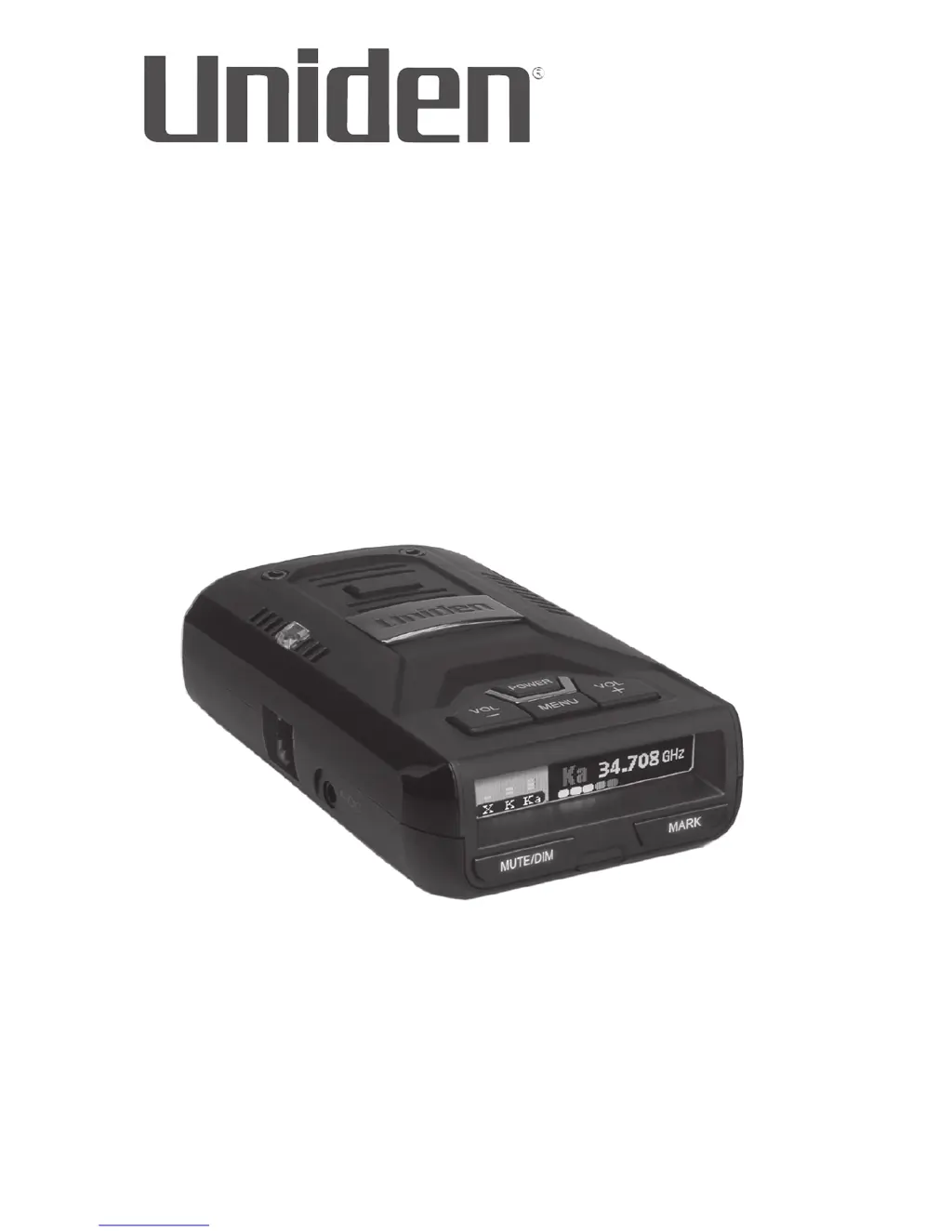
Uniden R3 - User Manual

Uniden R3
32 pages
Print Icon
To Next Page IconTo Next Page
Loading...
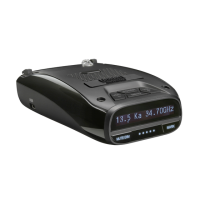
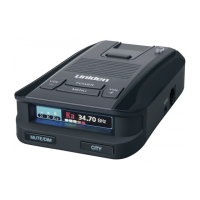
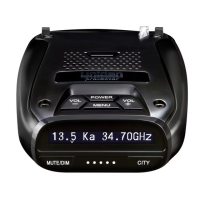
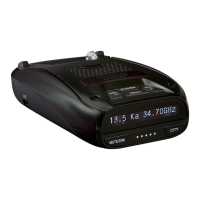
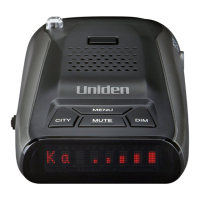
LONG RANGE Radar/Laser Detector
Users Manual
R3
© 2019 Uniden America Corporation
Irving, Texas
Issue 5, January 2019
Printed in Korea

Questions and Answers

  • J
    Justin HobbsAug 16, 2025
    What to do if my Uniden Radar Detector R3 doesn't turn on even though the car is running?
    • C
      Cheryl KimAug 16, 2025
      First, verify that the power cord is securely connected to the unit and inserted into the cigarette lighter jack. If that doesn't work, change the fuse in the power cord (spare fuse not included). Unscrew the cigarette lighter plug to access the fuse.
  • C
    Colleen SmithAug 19, 2025
    How to fix no display or audio on Uniden R3 Radar Detector?
    • G
      Gina LaneSep 12, 2025
      If there is no display, check the connections to ensure they are secure. If there is no audio, check if the Voice feature is turned off.
  • H
    Hailey MckinneyAug 21, 2025
    What to do if my Uniden R3 Radar Detector has no display or audio?
    • W
      wagneramandaAug 22, 2025
      If there is no display, check the connections to make sure they are all secure. If there is no audio, check if Voice is turned off.
  • G
    gonzaleskevinAug 25, 2025
    What to do if my vehicle starts but the Uniden Radar Detector R3 does not turn on?
    • M
      Megan ClarkAug 26, 2025
      Verify that the power cord is securely connected to the unit and inserted into the cigarette lighter jack. You may also need to change the fuse in the power cord. Unscrew the cigarette lighter plug to access the fuse.
  • S
    Steven WhiteAug 28, 2025
    Why didn't my Uniden R3 Radar Detector alert me to a police car?
    • A
      Alexander KingAug 28, 2025
      The officer may not have had their radar/laser units turned on. Also, check that the band is turned on. Press MENU and cycle through the options to get to the bands. If the band is turned off, the LCD will show OFF. Turn the band on.
  • M
    Mark MatthewsAug 30, 2025
    Why does my Uniden R3 keep alarming in the same spot with no police?
    • R
      Robert DennisAug 31, 2025
      There may be a motion sensor or house alarm in use within range, causing the alert.
  • D
    David CastilloSep 2, 2025
    Why does my Uniden R3 Radar Detector alarm when I drive over bumps?
    • M
      michaelbrownSep 3, 2025
      Check the connections to be sure they are all secure.
  • J
    Jonathan PriceSep 6, 2025
    Why my Uniden Radar Detector R3 did not alert when a police car was in view?
    • B
      brett69Sep 6, 2025
      The officer may not have radar/laser units turned on. Verify that the band is turned on. Press MENU and cycle through the options to get to the bands. If the band is turned off, the OLED will show OFF. Turn the band on.
  • R
    ryanmartinSep 9, 2025
    What to do if my Uniden Radar Detector alarms when the vehicle hits bumps?
    • N
      Nicole MasonSep 9, 2025
      Check the connections to make sure they are all secure.
  • C
    Cynthia WhitakerSep 12, 2025
    Why Uniden Radar Detector alarms briefly in the same location but no radar source was in view?
    • A
      Anthony ThomasSep 12, 2025
      There may be a motion sensor or house alarm in use within range.

Summary

R3 OVERVIEW

FEATURES

Lists key capabilities and advanced functions of the Uniden R3 radar detector.

PACKAGE CONTENTS AND UNIT COMPONENTS

Details items included in the R3 package and identifies parts of the detector unit.

EXTERNAL ELEMENTS AND POWER

Describes non-key elements like ports and the functions of the R3 power cord.

DISPLAY AND INSTALLATION

OLED DISPLAY FUNCTIONS

Explains the various displays and information shown on the R3's OLED screen.

INSTALLATION AND POWER-ON

Guides for mounting the R3 on windshield or dashboard and powering it on.

MENU SYSTEM AND BASIC OPERATIONS

MENU SYSTEM NAVIGATION

Explanation of how to navigate and use the R3's menu system for configuration.

FUNDAMENTAL OPERATING CONTROLS

Guides on turning on, adjusting volume, muting alarms, and controlling screen brightness.

CONFIGURING R3 SETTINGS AND FEATURES

How to manage bands, modes, sensitivity, user marks, and firmware updates.

FEATURE DETAILS AND OPERATING MODES

AUTO DIM FEATURE CONFIGURATION

Configuration and operation of the automatic OLED brightness adjustment.

USER MARKS AND CAMERA MANAGEMENT

Marking locations, deleting user marks, and deleting red light camera points.

OPERATING MODES AND DISPLAYS

Explanation of Highway/City modes, POP mode, scan display, and other display options.

ALARM MANAGEMENT AND SPECIAL MODES

DISPLAY OPTIONS AND ALARM PRIORITIES

Explains how the R3 displays mode, time, and the priority order for alerts.

THREATS AND MUTE FUNCTIONS

Covers threat detection, mute memory, auto mute, and volume settings.

QUIET RIDE MODES

Mutes X/K band or red light camera alarms based on speed limits.

SUPPORT AND SPECIFICATIONS

MAINTENANCE AND TROUBLESHOOTING

Guides on maintaining the R3, updating software, and resolving common issues.

TECHNICAL SPECIFICATIONS AND COMPLIANCE

Details FCC/IC compliance, operating parameters, dimensions, and weight.

ONE-YEAR LIMITED WARRANTY

Details the terms and conditions of the R3's one-year limited warranty.

Uniden R3 Specifications

General IconGeneral
ModelUniden R3
CategoryRadar Detector
Radar BandsX, K, Ka, Laser
Ka Band Frequencies33.4-36.0 GHz
K Band Frequencies24.050-24.250 GHz
Laser DetectionYes
GPSYes
DisplayOLED
Mute MemoryYes
Voice AlertsYes
Firmware UpdatesYes, via USB
City/Highway ModesYes
Auto Learn ModeYes
Low Noise Amplifier (LNA)Yes
Detection RangeLong range
Red Light and Speed Camera AlertsYes
360° ProtectionYes
Digital Signal Processing (DSP)Yes
False Alert FilteringYes
Auto Mute MemoryYes
Quiet RideYes
BluetoothNo
Weight6.4 oz
X Band Frequencies10.500 GHz - 10.550 GHz

Related product manuals