EasyManua.ls Logo

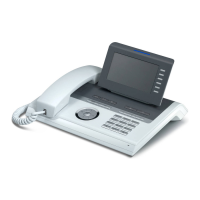
Unify OpenStage 60/80 HFA - User Manual

Unify OpenStage 60/80 HFA
2 pages
Print Icon
To Next Page IconTo Next Page
Loading...
Copyright © Unify GmbH & Co. KG 03/2014
Hofmannstr. 51, 81379 München/Deutschland
Alle Rechte vorbehalten.
Sachnummer: A31003-S2000-U149-3-7619
unify.com
Key Layout and Operation
Function Keys and Audio Keys
Mode Keys and TouchSlider
TouchGuide
Open Context Menu
If the context menu isn’t shown, you can access the context
menu by pressing the right arrow key on the TouchGuide.
The left arrow key escapes the selected option or function.
q For future use
r Activate/deactivate
call forwarding
s End (disconnect) call
p Turn mute
on/off
o Turn headset on/off
n Turn speaker on/off
t Telephony interface
u Phonebooks
w Call Logs
x Messages
v Settings/Application Menu
y Help function
Run finger over TouchSlider:
Depending on context, set vo-
lumes for ringer or speaker
X
Shining blue: mode is active
Shining white:
for call log: new entry in call lists
for voicemails: new voicemail
Press m key:
- Scroll upwards
Hold down:
- Jump to beginning
of list
Press
l key:
- Scroll downwards
Hold down:
- Jump to end of list
Press
g
key:
- Open the idle menu
- Call up the context
menu
- Go down a level
Press
h key:
- Cancel function
- Delete character
left of cursor
- Go up a menu level
Press i key:
- Confirm input
- Perform action
Run finger over in-
ner edge of ring:
- Scroll through lists
and menus
- Adjust volume
Use
g
to
open context
menu.
Use h to can-
cel and go
back one level.
Icon Overview
Display Icons in Idle State
Display Icons during a Call
Icon Explanation
You have received one or more new messages
One or more new entries have been added
to the call lists
Call Forwarding is activated for all calls
Ring tone is deactivated
Remote maintenance is activated
(HFA only)
Do not disturb is activated
Phone lock is activated
Bluetooth connectivity is activated
A mobility user is logged on to the telephone
(HFA only)
Icon Explanation
Call is active
Call has been disconnected
You have placed the call on hold
Your call partner has placed the call on hold
(e.g. consultation hold)
Secure voice connection (HFA only)
Insecure voice connection (HFA only)
Programmable
Keys
{
}
OpenStage 60/80 HFA
OpenStage 60/80 T
OpenScape 4000
HiPath 4000
Quick Reference Card

Questions and Answers

  • B
    Benjamin HillSep 4, 2025
    What to do if the IP address of the Unify Vermittlungrechner cannot be retrieved?
    • A
      Alexis HunterSep 4, 2025
      If the IP address of the Unify Vermittlungrechner cannot be retrieved for your Unify IP Phone, it may be due to a failed DNS query. Please contact your administrator and specify the error code.
  • J
    Jason ArnoldSep 18, 2025
    What to do if a connection cannot be established to the deployment server. – Rejected?
    • T
      Timothy WhiteSep 18, 2025
      In such cases, please contact your administrator and specify the error code.
  • X
    xstevensSep 16, 2025
    What to do if a connection cannot be established to the deployment server. – No response?
    • M
      mhallSep 16, 2025
      In such cases, please contact your administrator and specify the error code.
  • D
    Derek SalazarSep 14, 2025
    What to do if the IP address of the deployment server cannot be retrieved for Unify IP Phone?
    • K
      Kevin BlackSep 14, 2025
      If the IP address of the deployment server cannot be retrieved for your Unify IP Phone, it may be due to a failed DNS query. Please contact your administrator and specify the error code.
  • R
    Randy RobinsonSep 12, 2025
    What to do if a connection cannot be established to the Unify Vermittlungrechner – Certificate invalid?
    • C
      Carol MartinezSep 12, 2025
      In such cases, please contact your administrator and specify the error code.
  • L
    Lisa MichaelSep 12, 2025
    What to do if a connection cannot be established to the Unify Vermittlungrechner – No or invalid OCSP response?
    • S
      Scott LowerySep 12, 2025
      In such cases, please contact your administrator and specify the error code.
  • S
    sethknightSep 9, 2025
    What to do if a connection cannot be established to the Unify Vermittlungrechner – Not authorized?
    • D
      Derrick FoxSep 9, 2025
      In such cases, please contact your administrator and specify the error code.
  • M
    mmatthewsSep 7, 2025
    What to do if a connection cannot be established to the Unify Vermittlungrechner – Rejected?
    • K
      Karen CrawfordSep 7, 2025
      In such cases, please contact your administrator and specify the error code.
  • M
    Michelle AlvaradoSep 5, 2025
    What to do if a connection cannot be established to the Unify Vermittlungrechner – No response?
    • N
      Nancy MooreSep 5, 2025
      In such cases, please contact your administrator and specify the error code.
  • K
    Kathleen SmithAug 20, 2025
    What to do if I get messages during Fernkonfiguration on Unify OpenStage 60/80 HFA Telephone?
    • G
      Gina BestAug 21, 2025
      If you receive messages during Fernkonfiguration on your Unify Telephone, this may be due to several reasons: * The IP address of the Unify Vermittlungrechner cannot be retrieved (DNS query failed). * A connection cannot be established to the Unify Vermittlungrechner (No response, Rejected, Not authorized, No or invalid OCSP response, Certificate invalid). * The IP address of the deployment server cannot be retrieved (DNS query failed). * A connection cannot be established to the deployment server (No response, Rejected). In any of these cases, contact your administrator and specify the error code.

Unify OpenStage 60/80 HFA Specifications

General IconGeneral
BrandUnify
ModelOpenStage 60/80 HFA
CategoryTelephone
LanguageEnglish

Related product manuals