o
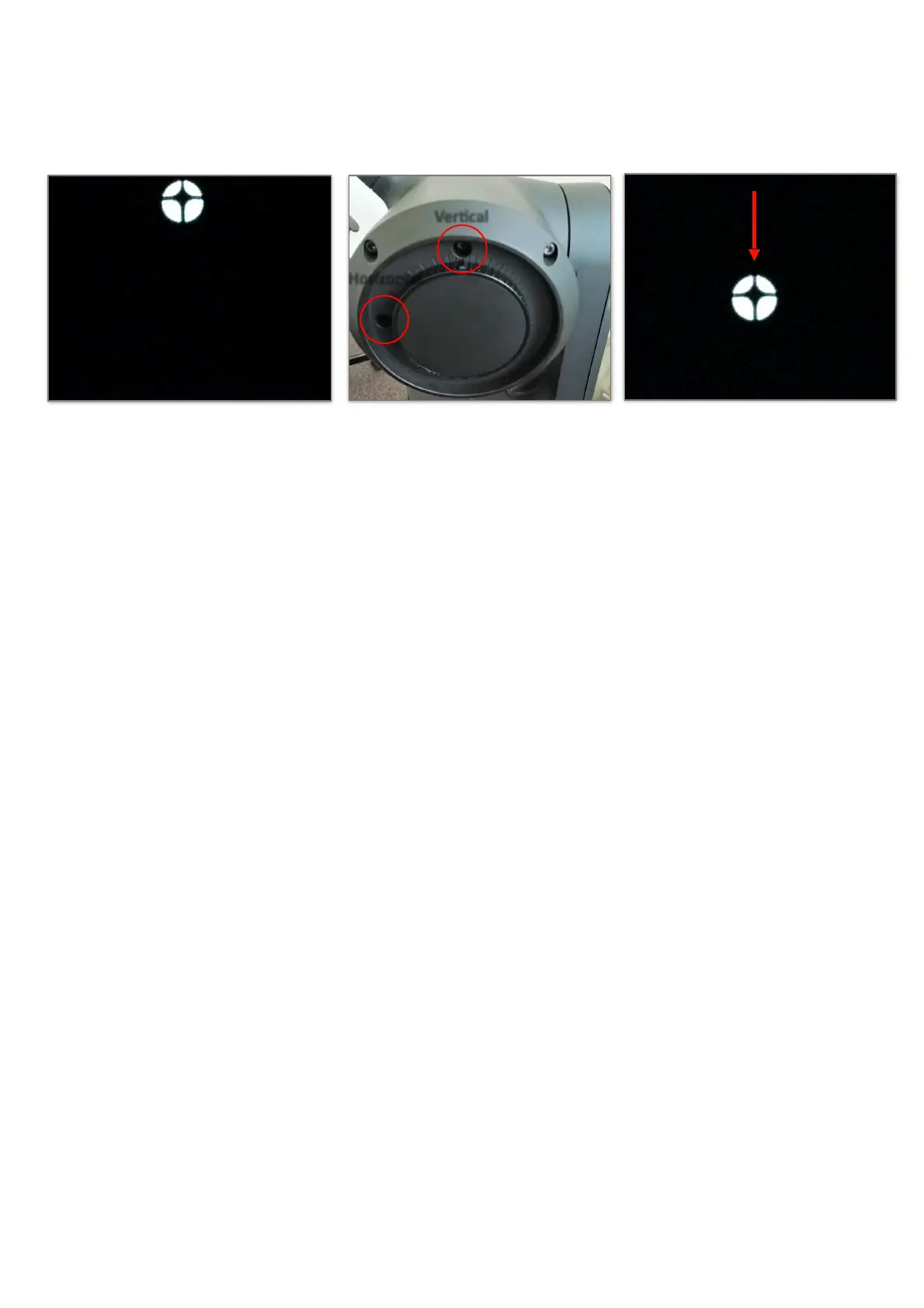
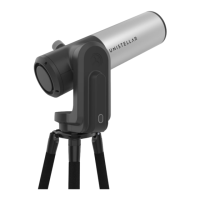
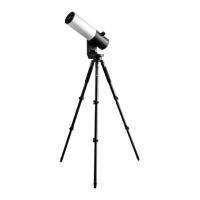
Then turn the vertical or horizontal screw in the mirror mount to put the star back at the
center. For example, if the cross is too high :
o
Repeat the procedure until the cross looks centered. You might have to do it several times.
o
Move back the focus to the default position by aligning the visual cue with the top screw
(Section 3 in the Quick Start Guide).
o
Move toward a target and enjoy. The image should look better now.
11. Charge/Discharge
o
The eVscope can be used while charging.
o
It can take from 7 to 8 hours to fully charge it.
o
When the eVscope is charging, you will see a blue flashing LED that will go from six flashes
to none. Flashes decrease as the battery gets more charged.
o
We strongly advise not to recharge your eVscope below 10°C.
o
When the battery is low, the performance of the eVscope can be compromised. You can
see the battery charge level in the "User" tab of the app. A fully charged battery is all yellow,
a fully discharged battery is black with a yellow border.
o
We advise to only use the USB-C charger provided by Unistellar.
o
You can also use an external battery to recharge your eVscope.
o
You can charge your smartphone with the eVscope. Plug it to the USB-A port, next to the
USB-C port. !


 To Next Page