EasyManua.ls Logo

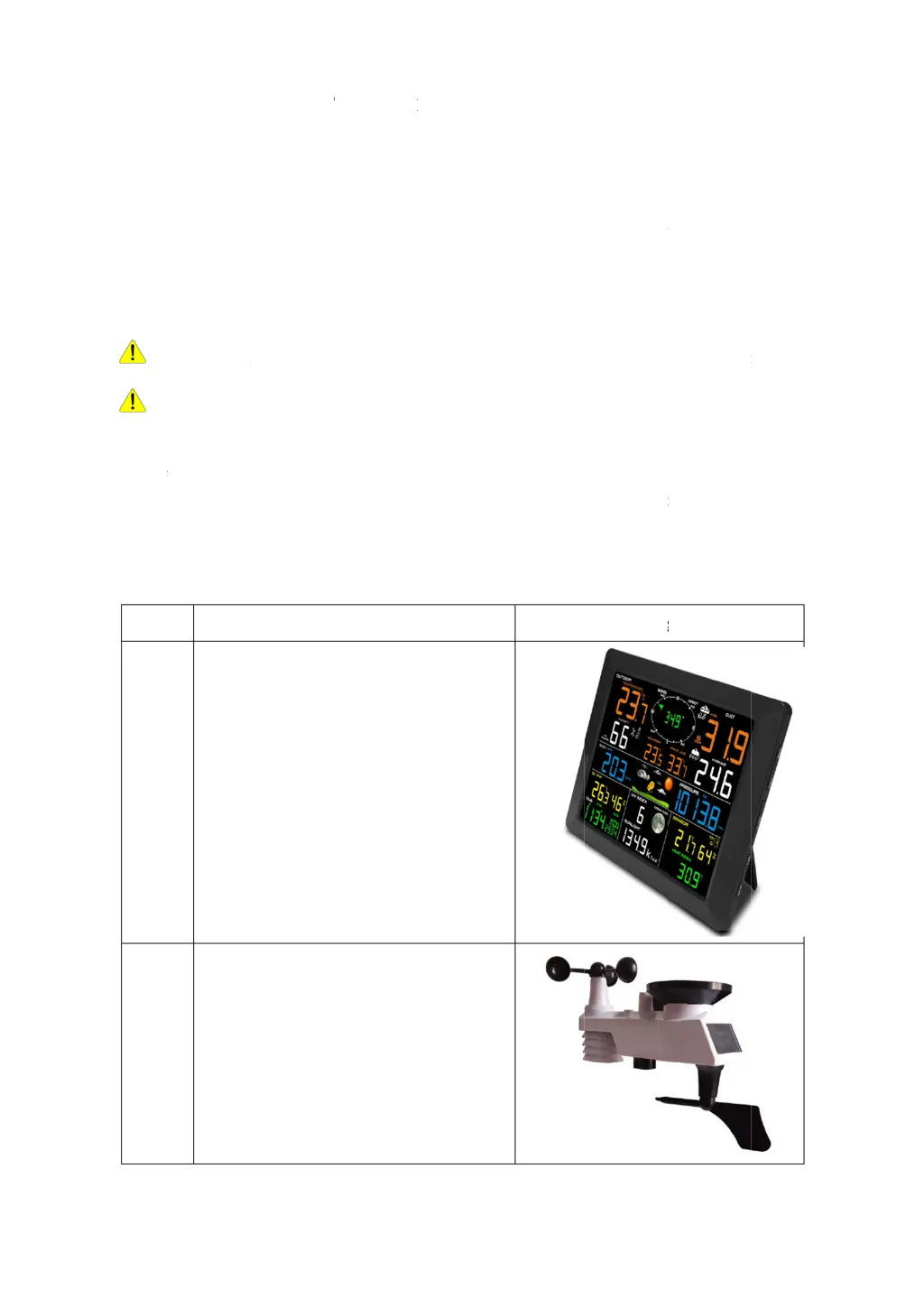
Unit Connection Technology WS0300 - User Manual

Default Icon
46 pages
Print Icon
To Next Page IconTo Next Page
Loading...
w
i
1.In
t
Thank
The f
o
troubl
e
2.W
a
W
a
statio
n
W
a
death.
3.G
e
The
W
Integr
a
P
a
The
W
QT
Y
1
1
W
th Wir
e
t
roducti
o
you for yo
u
o
llowing us
e
e
shooting.
a
rnings
a
rnin
g
: A
n
n
mounting
p
a
rnin
g
: Ins
Perform as
e
tting St
a
W
S0300 we
a
a
te
d
Outdo
o
a
rtsLis
t
W
S0300 we
a
Y
Displa
y
Frame
215X2
LCD
D
Integr
a
Dimen
330x1
5
S0300
P
e
less
8
C
o
n
ur
purchas
e
er
guide pr
o
n
y metal obj
p
ole. Neve
r
talling you
r
much of t
h
a
rted
a
the
r
statio
n
or
Transmit
t
t
a
the
r
statio
n
y
Console
Dimension
2X158mm
D
imensions
a
te
d
Outdo
o
sions (LxH
5
0x280mm
1
P
rofessio
n
C
hannel
e
of the WS
0
o
vides step
b
ect may att
r
r
install the
r
weather s
t
h
e initial ch
e
n
consists o
f
t
e
r
and mo
u
n
consists o
f
Item
s (LxHxW
)
(LxW): 17
0
or
Transmit
t
xW)
n
al WI
F
Remot
e
0
300 Profe
s
b
y step inst
r
r
act a light
n
weather st
a
t
ation in a
h
e
c
k
out and
f
a display
c
u
nting hard
w
f
the follow
i
)
:
0
x 125mm
t
e
r
F
I Weat
h
e
Monit
o
s
sional WI
F
r
uctions fo
r
n
ing strike,
a
tion in a st
o
h
igh locatio
n
operation.
c
onsole (re
c
w
are.
i
ng parts (a
h
er Stat
i
o
ring Us
e
F
I Wireless
W
r
installatio
n
including
y
o
rm.
n
may resul
t
c
eiver), a se
n
s reference
d
Ima
g
i
on
e
r Man
u
W
eathe
r
st
a
n
, operatio
n
y
ou
r
weathe
r
t
in injury
o
n
so
r
array
w
d
in Figure
g
e
u
al
a
tion.
n
and
r
or
w
ith
1 ).

Questions and Answers

  • C
    Christina YoungAug 8, 2025
    What to do if WiFi does not display on the Unit Connection Technology Weather Station console?
    • T
      Timothy CookAug 9, 2025
      If the Unit Connection Technology Weather Station console isn't displaying WiFi, first, ensure the WiFi icon is visible, indicating a successful wireless connection. Verify that your modem's WiFi settings (network name and password) are correct. The console must be connected to AC power, as it won't connect to WiFi on battery power alone. Note that the console supports only 2.4 GHz routers; if you have a dual-band router, disable the 5 GHz band and enable the 2.4 GHz band. Guest networks are not supported.
  • L
    Lawrence HooperAug 17, 2025
    What to do if Unit Connection Technology Weather Station data is not reporting to weather websites?
    • R
      Richard HuntAug 17, 2025
      If your Unit Connection Technology Weather Station data isn't reporting to www.wunderground.com or www.weathercloud.net, first, verify that your password or key is correct. It should be the same password you registered on Wunderground.com, and it cannot begin with a non-alphanumeric character. Also, confirm that your station ID is correct. Ensure that the date, time, and time zone are correctly set on the console to report real-time data accurately. Finally, check your router's firewall settings, as the console sends data via Port 80.
  • R
    Richard McknightAug 21, 2025
    Why does the Unit Connection Technology Weather Station temperature sensor reads too high?
    • D
      denise02Aug 21, 2025
      To address a high temperature reading during the day on your Unit Connection Technology Weather Station, ensure the thermo-hygrometer is mounted in a shaded area, preferably on a north-facing wall, to minimize direct sunlight exposure.
  • J
    Jennifer JonesAug 26, 2025
    What to do if indoor and outdoor temperature do not agree on Unit Connection Technology Weather Station?
    • J
      Jonathan GriffinAug 26, 2025
      If the indoor and outdoor temperature readings on your Unit Connection Technology Weather Station don't match, allow up to one hour for the sensors to stabilize due to signal filtering. Note that the sensors should agree within 2 °C (the sensor accuracy is ± 1 °C). If necessary, use the calibration feature to align the indoor and outdoor temperatures to a known, reliable source.
  • H
    Heather GreenAug 29, 2025
    What to do if indoor and outdoor humidity do not agree on Unit Connection Technology Weather Station?
    • J
      Jennifer ReynoldsAug 29, 2025
      If the indoor and outdoor humidity readings on your Unit Connection Technology Weather Station are inconsistent, allow up to one hour for the sensors to stabilize. The humidity sensors should agree within 10% (the sensor accuracy is ± 5%). If needed, use the calibration feature to match the indoor and outdoor humidity readings to a known source.
  • S
    Samuel JohnsonSep 3, 2025
    How to fix weak display console contrast on Unit Connection Technology Weather Station?
    • A
      Andrea HudsonSep 3, 2025
      If the display console contrast on your Unit Connection Technology Weather Station appears weak, replace the console batteries with a fresh set.
  • K
    Krystal CarrNov 11, 2025
    How to fix Unit Connection Technology Weather Station when wireless remote is not reporting to console?
    • T
      Troy SmithNov 12, 2025
      If your Unit Connection Technology Weather Station's wireless remote isn't reporting to the console (indicated by dashes (--.-) on the display), try these steps to reacquire the signal: Press and hold the CHANNEL/+ button for 3 seconds, choose the lost sensor and the remote search icon will be constantly displayed. Once the signal is reacquired, the remote search icon will turn off, and the current values will be displayed. Ensure the sensor assembly is within the communication range (ideally closer than 100 m, or 30 m under most conditions). Adjust the distance between the sensor and console, ensuring it's not too close (less than 1.5m). Check that the remote sensor's LCD is working and the transmitter light flashes every 60 seconds. Replace the batteries in the remote thermo-hygrometer, ...

Unit Connection Technology WS0300 Specifications

General IconGeneral
BrandUnit Connection Technology
ModelWS0300
CategoryWeather Station
LanguageEnglish