EP- 45F Paper Folder Operation Manual
12.
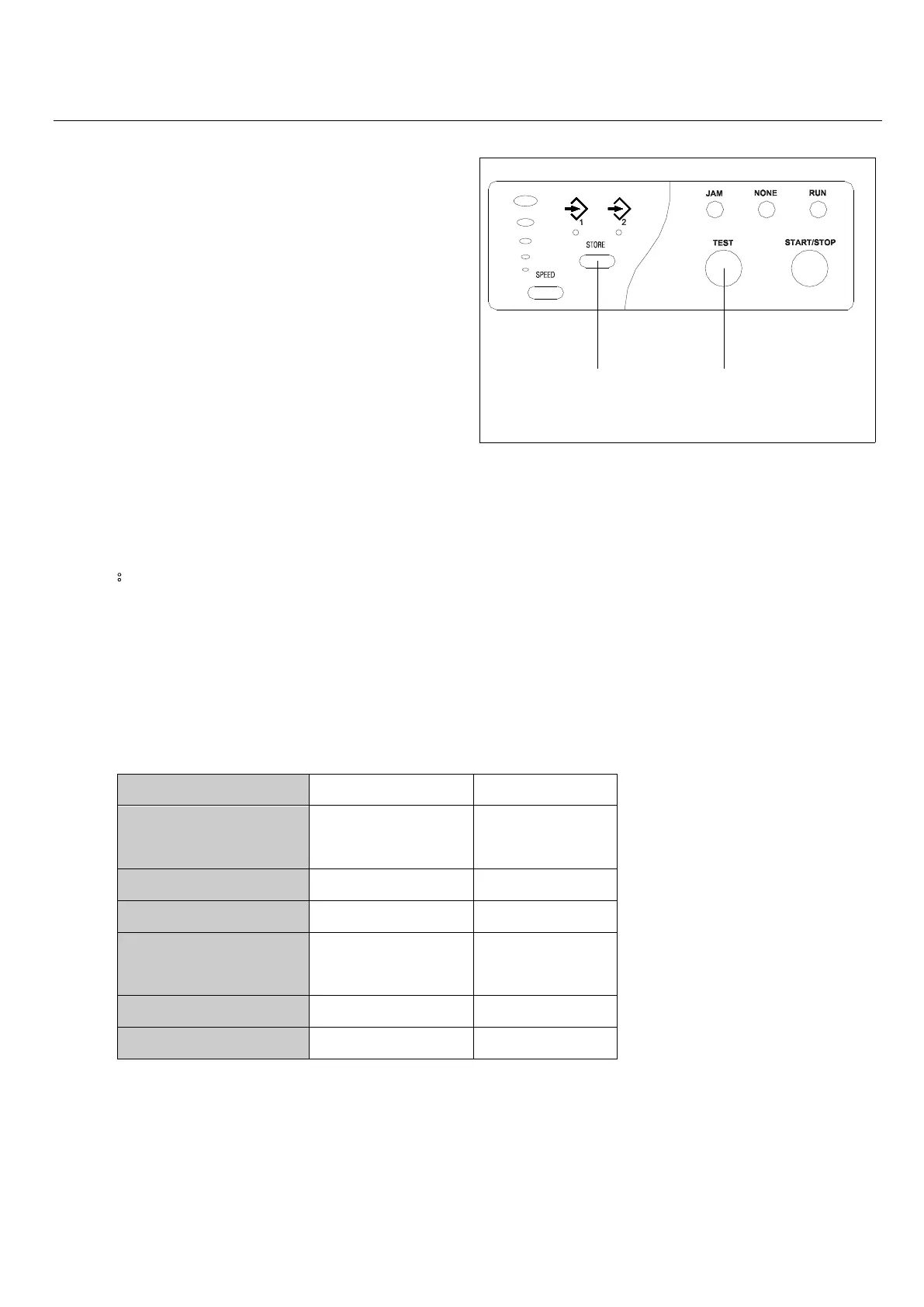
TEST KEYSTORE KEY
7-2-3. Store the paper length
Note:
The position of the table A and table B stopper in relation to the measurement value L.
Example:In the case of performing the Double Parallel fold using sheets of paper 300mm in length:
Table A=300 x (1/2)=150 mm
Table B=300 x (1/4)=75 mm
SINGLE
Original
position“O”
1/2
1/3 1/3
DOUBLE
1/2 1/4
2/3 1/3
After input the paper length, press store key,
choose store at 1 or 2. (press store key and
release memory lamp will shift light between 1
and 2; hold pressing store key until “bee
sound, means paper length stored) When
paper length is stored, machine will adjust 6
fold types according to paper length.
Choose one fold type; Press Test key to check
if the fold is correct. (In case of correcting
slanting folding, refer to Adjustment on
Chapter 9)



 To Next Page