EP- 45F Paper Folder Operation Manual
15.
FINE ADJUSTMENT KNOB
9-2.Table Stopper Adjustment
.
After moving the stopper by stopper
fine adjustment knob, make sure press
Test key before press Start/Stop key.
Otherwise, adjustment will not be
accepted.
Note :
If press Start/Stop key, after
adjusting the stopper, stopper will
return to origin to fold.
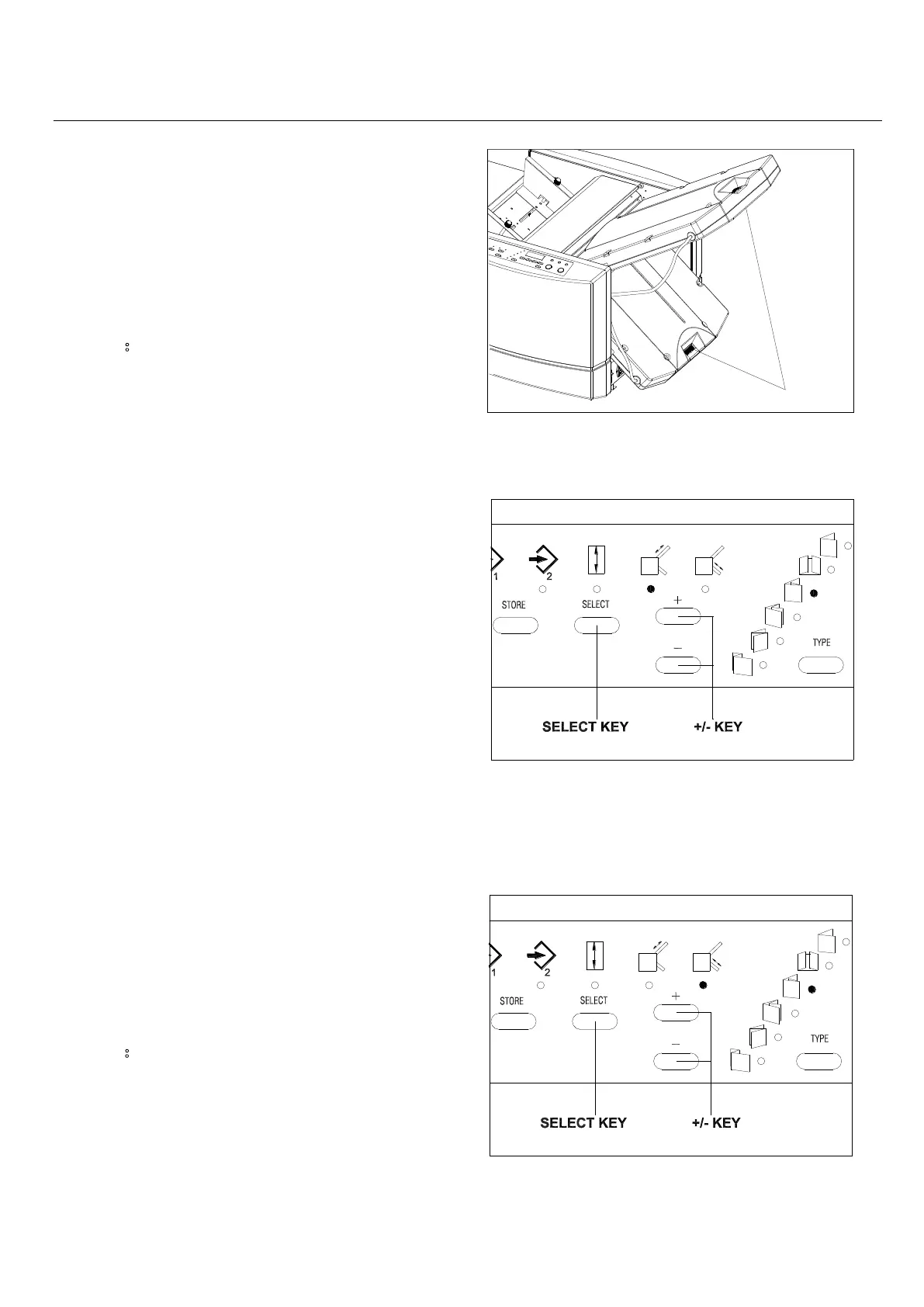
When the stopper is moved largely, it
will be convenient to use the +/– key.
(A).
Press the Select key and select
the Table A Stopper Move Mode. Press
the +/- key and move the stopper to
the desired position.
(B). Press the Select key and select the
Table B Stopper Move Mode. Press the
+/- key and move the stopper to the
desired position.
Note:
To store the stopper position, after
adjusting stopper by using stopper fine
adjustment knob or +/- key, please refer
to chapter 10 Storage



 To Next Page