Current Measurement A
Select A measurement range using the measurement
function selection dial.
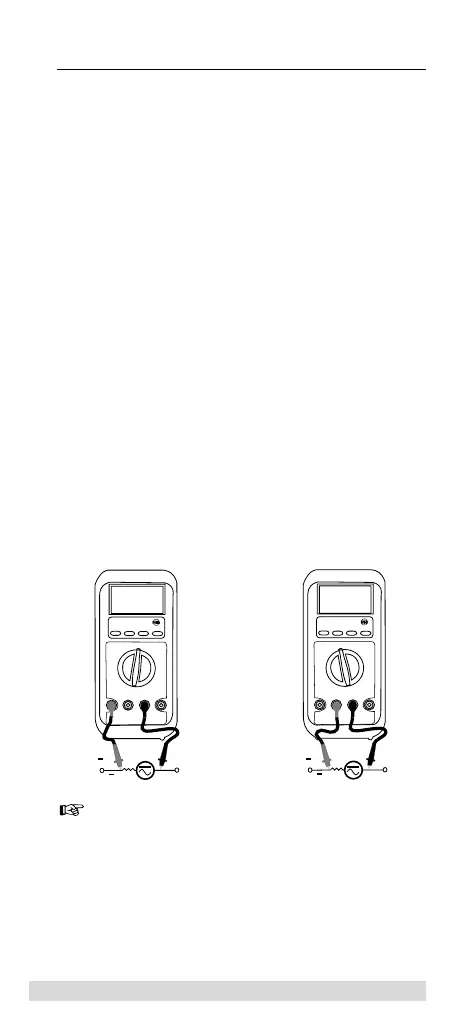
Connect the black test lead to the COM socket and the
red test lead to the A socket.
The SELECT key is used to set the type of current to be
expected.
Connect the test leads to UUT.
Read the measurement result on the display screen.
Current Measurement mA and µA
Select mA or µA, depending on the current value ex-
pected, using the measurement function selection dial.
If the value to be measured is unknown, the highest
measurement range must be selected.
Connect the black test lead to the COM socket and the
red test lead to the mA/µA socket.
The SELECT key is used to set the type of current to be
expected.
Connect the test leads to UUT.
Read the measurement result on the display screen.
The Multimeter automatically selects the most
favourable measurement range (automatic ranging).
The RANGE key is used to manually set the measure-
ment range.
If during the measurement process, the display is difficult
to view or is fluctuating, the measurement data can be
frozen by pressing the Hold key.
42
Carrying out Measurements



 To Next Page