A1 PRO User Manual
Copyright © 2020 Unitree Robotics. All Rights Reserved 14
below 5 °C or above 55 °C. At this temperature, the battery will trigger charging abnormality.
6.Charging Current Protection: High current charging will seriously damage the battery. When the
charging current is greater than 4A, the battery will stop charging.
7.Over-discharge Protection: Over-discharge will seriously damage the battery. When the battery is
discharged to 18V, the battery will cut off the output.
8.Short Circuit Protection: When the battery detects a short circuit, the output will be cut off to protect
the battery.
9.Battery Load Detection Protection: When the battery is turned on, if no powered device is connected,
the battery will automatically shut down after 3 seconds.
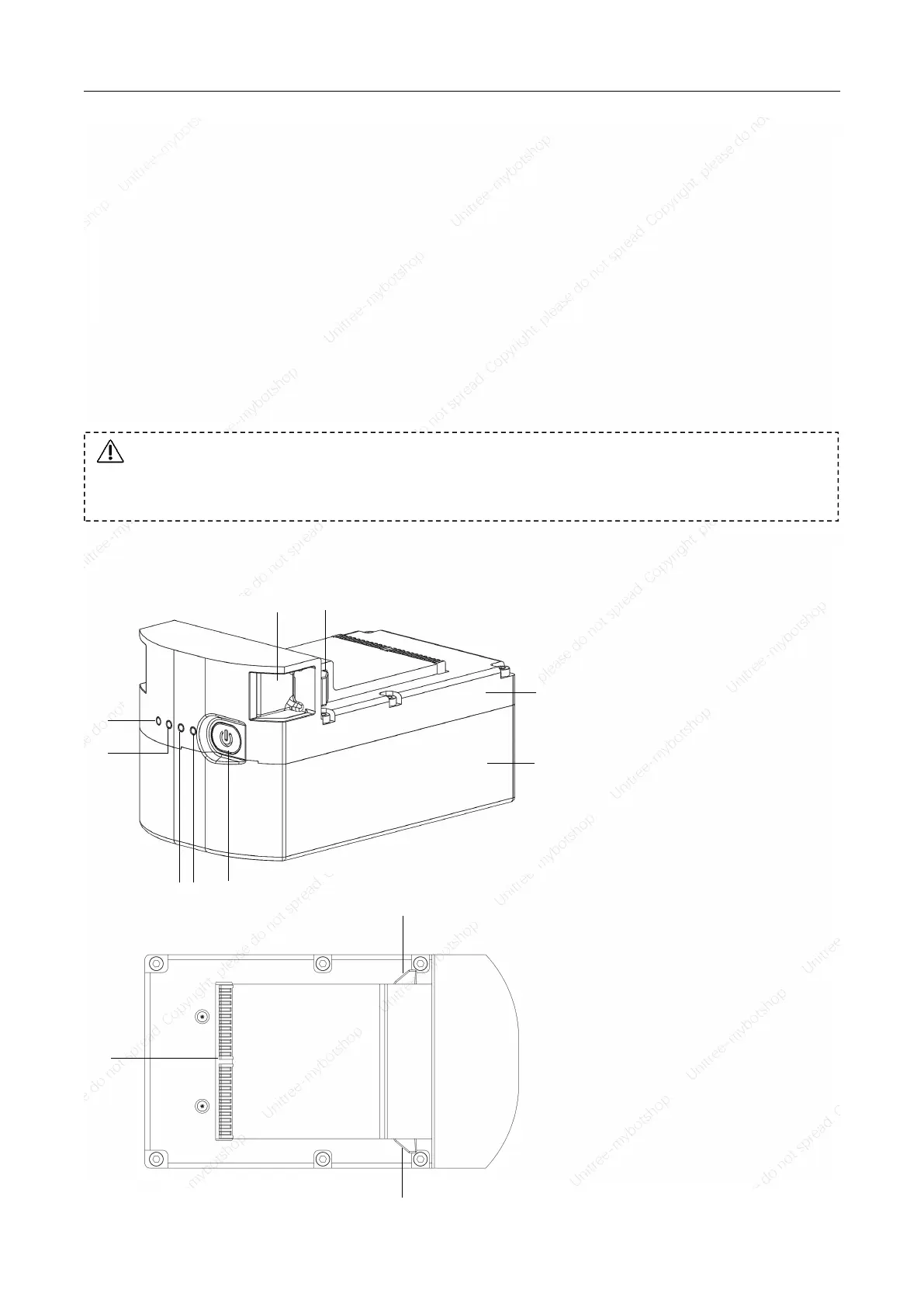
Battery Pack Part Name
[1] Power switch
[2] LED1
[3] LED2
[4] LED3
[5] LED4
[6] Buckle
[7] Clip
[8] Battery pack panel
[9] Battery pack base plate
[10] Battery interface:
Battery pack charger interface.
Please read and strictly follow requirements of Unitree in this manual, disclaimer, the sticker
on battery pack surface and dedicated charger surface before using the battery pack. The
consequences of failure to use as required are borne by the user.



 To Next Page