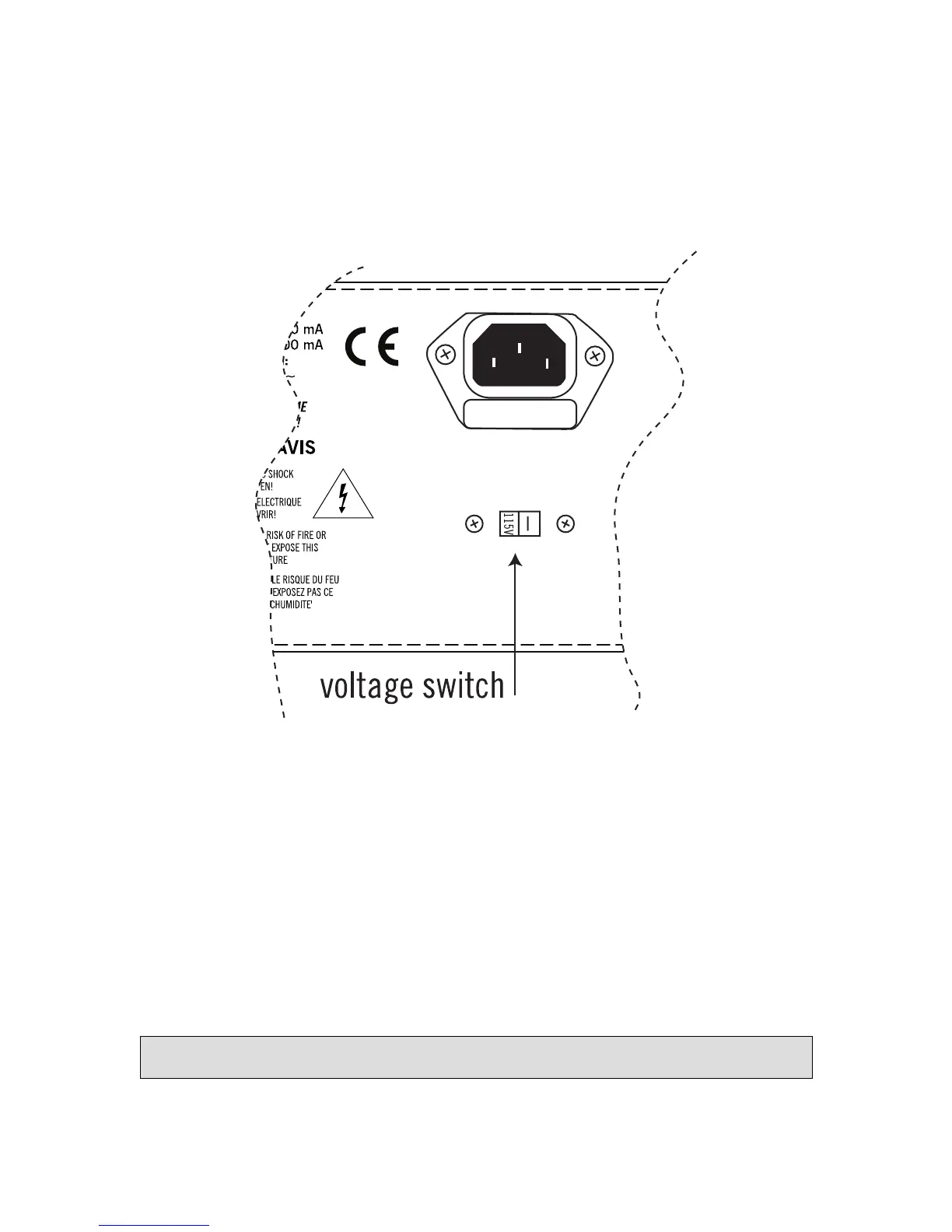
Changing the Voltage Selector
The 1176LN can operate at 115V or 230V. It will be factory preset for the voltage in your area; however,
if it is necessary to change the voltage selector (located directly below the transformer on the rear
panel), use a small slotted screwdriver to slide it to the desired operating voltage.
NOTE: When changing operating voltage, the fuse value must be changed as well. Make sure the
1176LN is properly set for the voltage in your area before applying AC power to the unit! Failure to
do so may damage the unit.
Changing Fuses
The AC power fuse is located in the AC power connector block. Remove the power cord before checking
or changing the fuse.
A 125 mA time delay (slow blow) fuse is required for operation at 115 V.
A 63 mA time delay (slow blow) fuse is required for operation at 230 V.



 To Next Page