Page 22
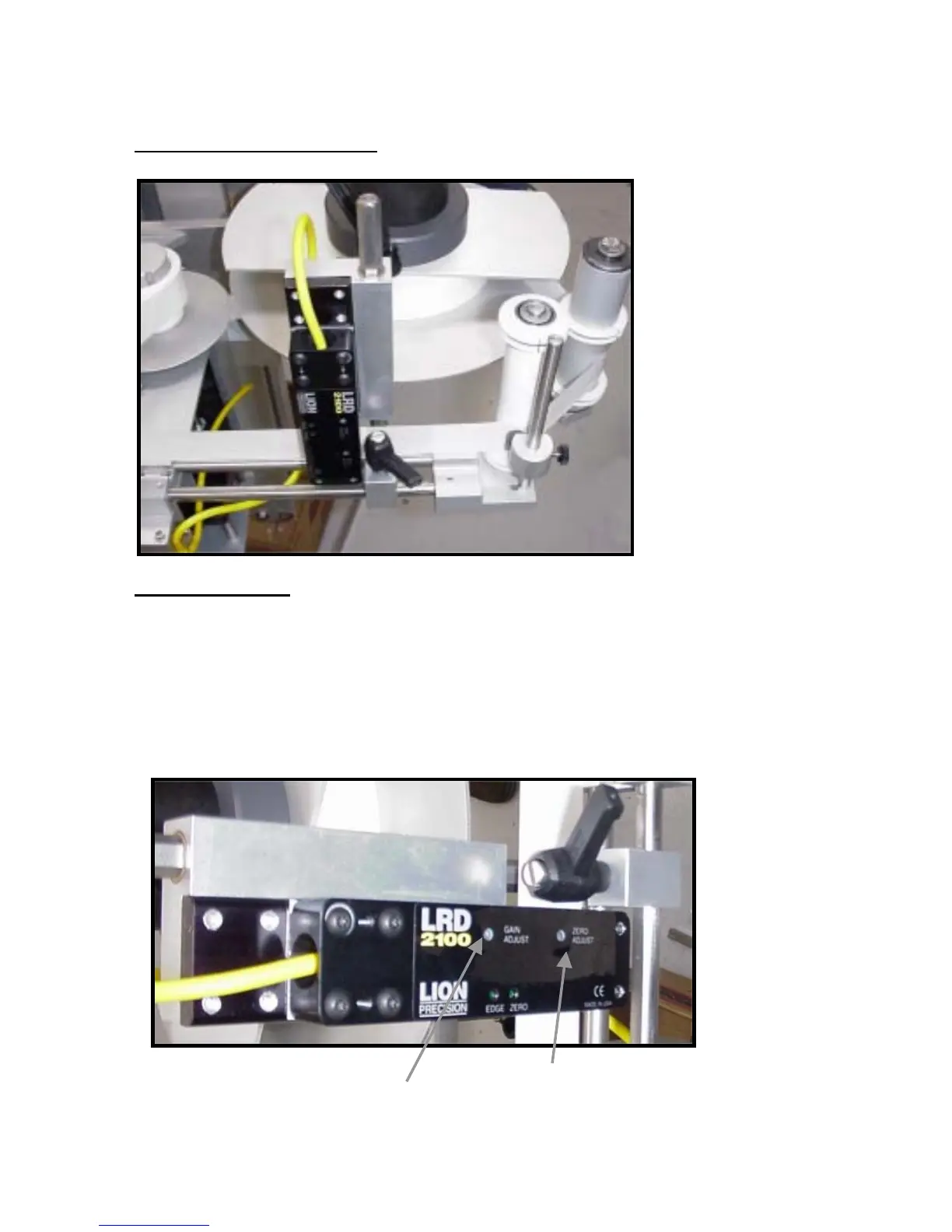
LION SENSOR (OPTIONAL)
Setup Procedure:
1. Remove labels and web from inside the sensor.
2. Center the “Gain Adjust” by turning it four turns Counter-clockwise.
3. Then, turn the “Gain Adjust” back 2 turns clockwise.
4. Set the “Zero Adjust” to a point where the ZERO light starts to come on.
5. While moving labels on the web through the sensor.
Set the “Gain Adjust” to a point where the “Edge” light starts to flash.
6. Keep Turing the “Gain Adjust” ½ turn clockwise.
7. The sensor is now ready to use.
Zero Adjust
Gain Adjust
Fig 20
Fig 20A


 To Next Page