
 Need help?
Do you have a question about the Unox CHEFTOP-X and is the answer not in the manual?
Explains visual symbols indicating warnings and instructions for safe operation and potential hazards.
Covers crucial safety rules and precautions against common hazards like burns, fire, and electric shock during operation.
Provides essential guidance on environmentally responsible disposal and recycling of the appliance at its end-of-life.
Formal statement confirming the product's compliance with relevant EU directives and international safety standards.
Details the key features and functionalities of the CHEFTOP-X™ and BAKERTOP-X™ ovens.
Explains the benefits and capabilities of the advanced Digital.ID™ operating system and connectivity.
Illustrates operational symbols and touch gestures used for navigating the oven's interface and commands.
Provides a detailed explanation of the Digital.ID™ control panel, its layout, and home page navigation.
Describes various innovative UNOX technologies like UIP, MULTI.Time, and UIC for enhanced cooking performance.
Guides on how to prepare the oven and initiate various types of cooking cycles, including manual and preset modes.
Explains how to view and manage active cooking cycles, including parameters, timers, and progress indicators.
Details how to review cooking results, consumption data, and perform post-cooking actions like repeating or saving cycles.
Outlines critical safety measures and warnings to be observed during the oven's washing and cleaning processes.
Instructions on how to initiate an automatic wash program and track its progress.
Information on reviewing wash cycle completion and procedures for refilling the detergent tank.
Step-by-step guide for replacing the RO.Care water softener filter to maintain optimal performance.
Comprehensive guide to using the Cooking Set app for creating and managing cooking programs.
Explains how to browse, select, and manage personal or pre-saved recipes within the Library app.
Information on using the Chefunox app for accessing and utilizing UNOX chef-created recipes.
Guide to the MULTI.Time app for managing multiple cooking cycles simultaneously with different timers.
Information on accessing washing functions and related procedures through the dedicated Washes app.
Overview of the DDC app for monitoring oven activity, consumption data, and cleanliness status.
Details on accessing support services like COOKING.Concierge, Live Technical Assistance, and DIGITAL.Training via the app.
Essential safety guidelines to follow when performing maintenance tasks on the oven, including personal protective equipment.
Detailed steps for cleaning various parts of the oven, including plates, trays, seals, air filters, and external surfaces.
Instructions for proper storage and shutdown during periods of non-use, including cleaning and door positioning.
Guidance on environmentally responsible disposal and recycling of the appliance, covering Italian and EU regulations.
Procedures for routine tasks like refilling the detergent tank and replacing the RO.Care water filter.
Instructions for downloading and installing the Digital.ID™ mobile application on your device.
Steps for setting up a new account and logging in to access oven management features.
Guide on how to pair and connect your UNOX ovens to the Digital.ID™ app for remote control.
Explanation of the navigation bar functions within the Digital.ID™ app for easy access to features.
How to view, manage, rename, and delete connected ovens within the app's list.
Procedures for managing account information, notifications, subscriptions, payment methods, and security settings.
Describes the functionalities of UNOX Voice Control, allowing hands-free operation and commands.
Instructions on how to activate, deactivate, and adjust settings for the UNOX Voice Control feature.
Steps for turning the oven on and off, including power button operation and startup sequence.
Guide on how to update the oven's software, including prerequisites and post-update steps.
Instructions on how to reset the oven to its original factory settings or access advanced service options.
Steps to take if the oven is not working, including contacting technical assistance with required information.
Information on UNOX Authorized Technical Assistance Centers, maintenance programs, and LONG.Life warranty options.
Details on how to contact technical support, including phone numbers and email for inquiries and assistance.
Official contact details for UNOX S.p.A., including address, phone, fax, and website.
 General
| Brand | Unox |
|---|---|
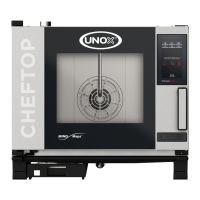
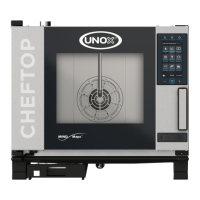
| Model | CHEFTOP-X |
| Power Supply | Electric |
| Control Type | Touch screen |
| Category | Oven |
| Type | Combi Oven |
| Power Consumption | 5.5 kW |
| Voltage | 400 V 3N~ |
| Capacity | 10 GN 1/1 pans |
| Temperature Range | 30 °C - 300 °C |
| Cooking Modes | Convection, Steam, Combination |
| Water Connection | Yes |
| Cleaning | Automatic cleaning |


 To Next Page