20
Setting Up a WLAN
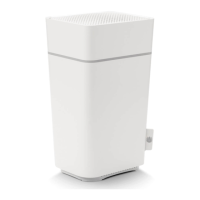
Do the following to set up a Wi-Fi network using the WPS button on the Connect Box:
1. Power on the Connect Box.
2. Power on the WPS-enabled devices you want to have access to the network,
such as a PC, router, or telephone.
3. The Wi-Fi network will automatically detect the WPS devices.
4. Press WPS button on the Connect Box.
5. If applicable, press WPS button on the other WPS devices.
3
Start
Starting the Connect Box
1. On a computer on the LAN, open a web browser.
2. In the Address or Location field, type 192.168.0.1 and press ENTER to display
the Login window
3. You can see the below welcome page
Click Next to continue
Multiple Language Support
Choose your Language Preference, all the text will switch to the selected language
immediately. Default Language is English.


 To Next Page