EasyManua.ls Logo

Uplift Desk V2 4-Leg - User Manual

Uplift Desk V2 4-Leg
4 pages
Print Icon
To Next Page IconTo Next Page
Loading...
© UPLIFT Desk • 800-349-3839 • info@upliftdesk.com • upliftdesk.com 1
Package Contents
V2 4-Leg Foot
(qty 2)
4mm Allen WrenchM6x12 Machine Screws
(qty 16)
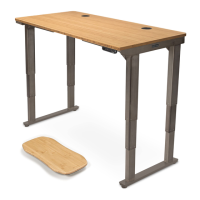
V2 4-Leg Standing Desk
Foot Replacement Instructions
FRM582
Step 1
A. Remove all objects, accessories, and attached
components from desk since you will be inverting
it for this installation.
B. Press and hold the Down Button to bring the desk
to its lowest position, then unplug the desk from
the electrical outlet.
C. Priortoippingthedeskover,moveittoasuitable
area free from clutter or obstruction. We recom-
mend resting the desktop on a carpet or blanket.
Be aware of any cables or attached components
andsecurethembeforeippingthedesk.
Note: When ipping the desk, always hold the
frame and the desktop together. Lifting by the
desktop only could put stress on improperly
fastened screws connecting the desktop to the
frame and may cause them to separate from the
frame if they were not attached properly.
D. You and a friend should each hold on to the rear
edge of the desktop with one hand and hold a leg
with the other hand.
E. Supporting both the desk frame and the desktop,
slowly tilt the desktop toward the rear of the desk
until the back edge of the desktop is resting on the
ground.
F. Hold onto the leg and the front edge of the desk-
top, then tilt the desk another 90 degrees until the
desk is upside down and resting on a carpet or
blanket.
Recommended Assembly Workspace & Practices
Place all parts on a clean surface such as a rug or carpet to avoid scratches.
Two or more people are recommended for assembly.
Remove all packaging materials before beginning the assembly process.
Question and Answer IconNeed help?

Do you have a question about the Uplift Desk V2 4-Leg and is the answer not in the manual?

Summary

Step 1: Prepare Desk for Inversion

Remove Desk Components

Remove all objects, accessories, and attached components before inverting the desk.

Lower Desk and Unplug

Bring the desk to its lowest position using the Down Button, then unplug it from the electrical outlet.

Secure Desktop and Frame

Hold the frame and desktop together when flipping to avoid stress on screws.

Tilt Desk to Rear Edge

Tilt the desktop towards the rear until the back edge rests on the ground.

Step 2: Remove Existing Feet

Step 3: Install New Feet

Step 4: Install Casters (Optional)

Step 5: Finalize and Reset

Perform Reset Procedure

Complete the reset procedure before using the desk.

Desk Reset Procedure

Initial Desk Lowering

Press and hold the Down Button until the desk reaches its lowest position.

Hold for Reset Command

Press and hold the Down Button again for 30 seconds until 'RESET' or 'ASr' appears.

Finalize Reset Sequence

Press and hold the Down Button one more time until the desk moves slightly and stops.

Uplift Desk V2 4-Leg Specifications

General IconGeneral
ModelUplift Desk V2 4-Leg
CategoryIndoor Furnishing
Frame Type4-Leg
Height AdjustmentElectric
Weight Capacity355 lbs
Frame MaterialSteel
Adjustment Speed1.5" per second
Desktop MaterialLaminate, Bamboo, Solid Wood
Desktop Thickness Options1"
Warranty15 years

Related product manuals