Need help?
Do you have a question about the Uplift Desk T-Frame and is the answer not in the manual?
To reduce the risk of electric shock, always unplug this furnishing from the electrical outlet before moving, cleaning, or before adding or removing parts and accessories.
To reduce the risk of burns, fire, electric shock, injury to persons, or property damage...
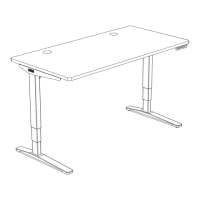
Placing the assembled frame onto the upside-down desktop, aligning pre-drilled holes.
Securing the desk frame to the desktop using appropriate screws (H4a or H4b) and washers (H5).
Plugging in leg cables (C8) to the Control box (C6) and using cable mounts (H8).
Connecting the power cable and performing the desk reset procedure.
Steps to ensure the desk's displayed height matches its actual height.
Saving and recalling up to four commonly used desk heights.
Step-by-step instructions to reset the desk when it is unresponsive or shows error messages.
 General
| Frame Type | T-Frame |
|---|---|
| Weight Capacity | 355 lbs |
| Color Options | Black, White, Gray |
| Assembly Required | Yes |
| Motor Type | Dual Motor |
| Warranty | 15 years |
| Frame Material | Steel |
| Noise Level | <50 dB |
| Crossbar | Included |

 To Next Page