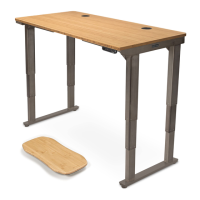
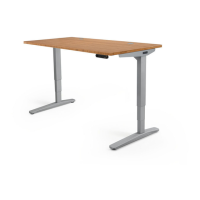
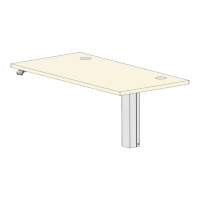
This document provides comprehensive instructions for assembling, operating, and maintaining the UPLIFT Desk V2 4-Leg Standing Desk Frame. It emphasizes safety, proper installation, and user-friendly features to ensure a reliable and ergonomic workspace.
Function Description
The UPLIFT Desk V2 4-Leg Standing Desk Frame is a height-adjustable desk designed to promote a healthier and more productive work environment. Its primary function is to allow users to easily switch between sitting and standing positions throughout the day, reducing the health risks associated with prolonged sitting. The desk frame supports a desktop (sold separately) and is powered by an electric motor system that enables smooth and quiet height adjustments. The 4-leg design provides enhanced stability and weight capacity, making it suitable for various office setups and equipment. The desk is intended for indoor use in dry environments and should be plugged into a properly grounded 120V power outlet. It is not designed for outdoor use or in damp locations, which could pose risks of electric shock, fire, or personal injury.
Usage Features
The UPLIFT Desk V2 4-Leg Standing Desk Frame offers several features designed for ease of use, safety, and customization:
- Height Adjustability: The core feature is its ability to adjust height, allowing users to find their optimal ergonomic position, whether sitting or standing. This adjustability is controlled via a keypad.
- Keypad Control: The desk comes with a keypad (P6) that allows for intuitive control over height adjustments. Advanced keypads offer additional programming options.
- Memory Settings: Users can save up to four commonly used desk heights for quick recall. This feature allows for personalized settings, making it easy to return to preferred sitting or standing positions with a single touch.
- One-Touch and Constant-Touch Modes: The desk can be configured to operate in either One-Touch mode (a single press of a memory button moves the desk to the preset height) or Constant-Touch mode (the button must be held down for the desk to move). One-Touch is the default setting.
- Height Calibration: A calibration feature ensures that the numeric display on the keypad accurately reflects the actual height of the desktop, especially useful if casters have been added.
- Display Units: Users can switch the numeric display between inches and centimeters to suit their preference.
- Minimum & Maximum Height Settings: The desk allows users to set custom minimum and maximum height limits, which can be particularly useful for preventing collisions with objects above or below the desk.
- Safety Lock Feature (Keypad Lock): For advanced keypads, a lock feature prevents accidental activation or movement of the desk, and also prevents settings from being accidentally changed. This is especially important in environments with unsupervised children. In the absence of this feature, removing the power cord is recommended for safety.
- Wire Management Tray (Optional): An included wire management tray (P9) helps organize cables, keeping the workspace tidy and preventing cables from snagging during height adjustments.
- Cable Mounts: Adhesive-backed cable mounts (H9) are provided to further organize and secure cables, preventing them from interfering with the desk's movement or stationary objects.
- Caster Installation (Optional): If casters are purchased, instructions are provided for their installation, allowing for easy mobility of the desk. Casters with locks should be engaged to keep the desk stationary when in use.
- Hole Plugs (Optional): Small (H17) and large (H18) hole plugs are included to cover visible holes in the upper frame section, providing a cleaner aesthetic.
Maintenance Features
To ensure the longevity and safe operation of the UPLIFT Desk, several maintenance and troubleshooting features are outlined:
- Regular Inspection: Users are advised to regularly inspect the desk for any damaged or loose parts. Immediate cessation of use is recommended if such issues are found, and only authorized UPLIFT Desk parts and instructions should be used for replacement.
- Reset Procedure: A comprehensive reset procedure is provided to address various operational issues, including unresponsive controls, error messages (E01-E012), or uneven leg movement. This involves unplugging the power cord, holding the DOWN button, and replugging the power cord.
- Overheat Protection (H01 Error): The desk motor has a 10% duty cycle to prevent overheating. If an H01 error appears, it indicates the motor needs to rest for a specified period (e.g., 18 minutes after 2 minutes of activation within a 20-minute period).
- Firmware/Connectivity Issues (E01-E06 Errors): These errors typically indicate issues with cable connections. The troubleshooting guide directs users to check all cables and perform the reset procedure.
- Uneven Legs (E07-E012 Errors): If the legs are uneven by more than 1.5 inches, the reset procedure is recommended. If the issue persists, contacting UPLIFT Desk support is advised.
- Secure Control Box: The manual emphasizes that the Control Box (P5) must be securely attached to the frame for the desk to function properly, addressing issues where the desk might continuously start and stop.
- Tightening Screws: During assembly, users are instructed to ensure all frame screws are thoroughly tightened using the provided Allen wrench. Loctite is pre-applied to screws to maintain tightness over time, contributing to the desk's stability and preventing loosening.
- Spilled Liquid Protocol: In case of liquid spills on any desk component, immediate disconnection from the power outlet, cleaning with a dry cloth, and then re-plugging the desk are critical to prevent desk failure or electric shock.
- Power Cord Damage: Users are warned not to use the desk if the power cord or plug is damaged and are instructed to contact UPLIFT Desk for a replacement.
The manual also stresses the importance of maintaining a minimum 1-inch gap between the moving parts of the desk and any adjacent objects to prevent pinch and crush hazards, and to ensure all cords have enough slack to avoid pulling as the desk moves. It recommends two-person assembly for ease and safety and advises assembling the desk on a debris-free carpet or blanket to protect the floor and desktop.


 To Next Page


 General