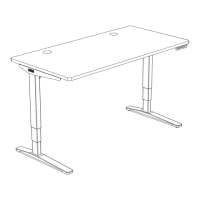
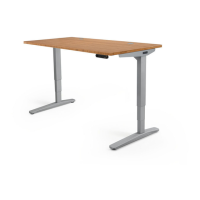
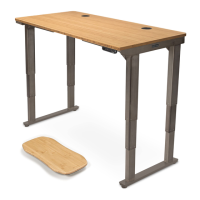
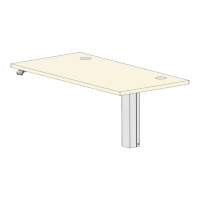
The UPLIFT Desk 2-Leg Standing Desk V2 Frame is a height-adjustable desk designed to promote a healthier and more dynamic work environment. This manual provides comprehensive instructions for assembling and operating the desk, available in both C-Frame and T-Frame configurations. The desk's primary function is to allow users to easily switch between sitting and standing positions, thereby reducing the health risks associated with prolonged sitting.
Function Description
The UPLIFT Desk is a motorized standing desk frame that supports a desktop, allowing for electronic height adjustment. It consists of two legs, crossbar ends, crossbar rails, and a control box, all working in conjunction to provide smooth and stable movement. The desk's height adjustability is controlled via a keypad, which allows users to raise or lower the desktop to their preferred ergonomic height. The V2 frame is engineered for stability and durability, ensuring a reliable platform for various work setups.
Usage Features
The UPLIFT Desk offers a range of features designed to enhance user experience and safety:
- Height Adjustability: The core feature of the desk is its ability to adjust height electronically. This allows users to customize their workspace to fit their individual ergonomic needs, whether sitting or standing.
- Keypad Control: The desk is operated using a keypad, which typically includes UP and DOWN buttons for continuous adjustment. Advanced keypads may offer additional functionalities such as:
- Memory Settings: Users can save up to four commonly used desk heights for quick recall. This allows for effortless transitions between preferred sitting and standing positions with a single button press.
- Constant-Touch & One-Touch Modes: The keypad can be configured for either constant-touch operation (requiring continuous button press for movement) or one-touch operation (moving to a preset height with a single press). One-Touch is the default setting.
- Keypad Lock: A security feature that allows users to lock the keypad, preventing accidental activation or movement of the desk. This is particularly useful in shared workspaces or to prevent children from operating the desk.
- Display Units: The numeric display on advanced keypads can be switched between inches and centimeters, catering to different user preferences.
- Minimum & Maximum Height Settings: Users can set custom minimum and maximum height limits for the desk. This is useful for preventing collisions with objects above or below the desk, such as wall-mounted shelves or under-desk accessories.
- Safety Warnings: The manual emphasizes several safety precautions to ensure proper and safe use of the desk. These include:
- Keeping fingers and body parts clear of moving parts.
- Ensuring sufficient slack for all cords and cables during movement.
- Supervising children around the desk.
- Using the desk only in dry, indoor environments to avoid electric shock or fire.
- Plugging the desk into a properly grounded 120V power outlet.
- Avoiding opening or inserting objects into desk frame components.
- Disconnecting power immediately in case of liquid spills.
- Not using the desk if the power cord or plug is damaged.
- Two-Person Assembly: The manual recommends two people for assembly to ensure ease and safety, especially when handling the desktop and frame components.
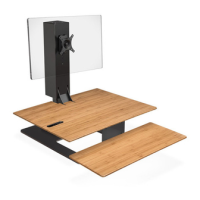
- Accessory Integration: The desk frame is designed to integrate with various UPLIFT Desk accessories, such as wire management trays, CPU holders, and keyboard trays. The manual provides instructions for installing included accessories like Cable Mounts and Anchor Plates, which utilize patented mounting points on the crossbar ends.
- Cable Management: Included Cable Mounts (H9) help organize wires and keep them tidy, preventing snagging as the desk moves. The Wire Management Tray (P12) provides a dedicated space for routing and concealing cables.
- Leveling Glides/Casters: The feet of the desk include leveling glides to ensure stability on uneven floors. Optionally, casters can be installed for easy mobility, with locks to keep the desk stationary when needed.
- Reset Procedure: A crucial initial setup step and troubleshooting solution. The reset procedure recalibrates the desk's height sensors, ensuring smooth and accurate operation. It is also used to clear error messages and restore functionality after power interruptions.
Maintenance Features
While the UPLIFT Desk is designed for durability, the manual highlights a few aspects related to its care and troubleshooting:
- Troubleshooting Guide: The manual includes a section dedicated to troubleshooting common issues, such as the desk not responding or displaying error codes (E01-E012, H01). Solutions often involve checking cable connections, performing the reset procedure, or allowing the motor to cool down if an "Overheated" (H01) error occurs.
- Motor Duty Cycle: The desk motor has a 10% duty cycle, meaning it can be activated for 2 minutes within a 20-minute period. This protects the motor from overheating. If an H01 error appears, the desk requires a rest period.
- Firmware/Connectivity Issues: For error codes E01-E06, the primary maintenance step is to ensure all cables are firmly plugged in and then perform a reset.
- Uneven Legs: If the legs become uneven (E07-E012), performing the reset procedure is recommended to re-synchronize them.
- Spill Protocol: In case of liquid spills, immediate disconnection from power and cleaning with a dry cloth are advised to prevent damage and electric shock.
- Power Cord/Plug Inspection: Users are instructed to regularly inspect the power cord and plug for damage and to contact UPLIFT Desk for replacements if necessary.
- Secure Control Box: The manual emphasizes that the Control Box MUST be attached securely to the frame for the desk to function properly, addressing issues where the desk might continuously start and stop.
- General Care: Although not explicitly detailed as "maintenance," the recommendation to assemble the desk on a debris-free carpet or blanket helps prevent damage to the floor and desktop, contributing to the desk's longevity and appearance.
The UPLIFT Desk is designed to be a user-friendly and robust solution for creating an active workspace, with clear instructions for assembly, operation, and basic troubleshooting to ensure a long and satisfying user experience.

 Need help?
 General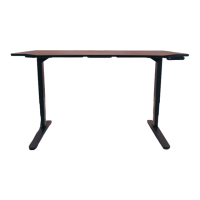

 To Next Page