© UPLIFT Desk • 800-349-3839 • 512-614-3152 • info@upliftdesk.com • upliftdesk.com
17
If your desk does not respond when you try to raise it or lower it, or if the Keypad displays error messages
from “E01” through “E012”, check to make sure that all the cables to the Legs and Control Box are secure. If
the problem persists, perform the reset procedure below.
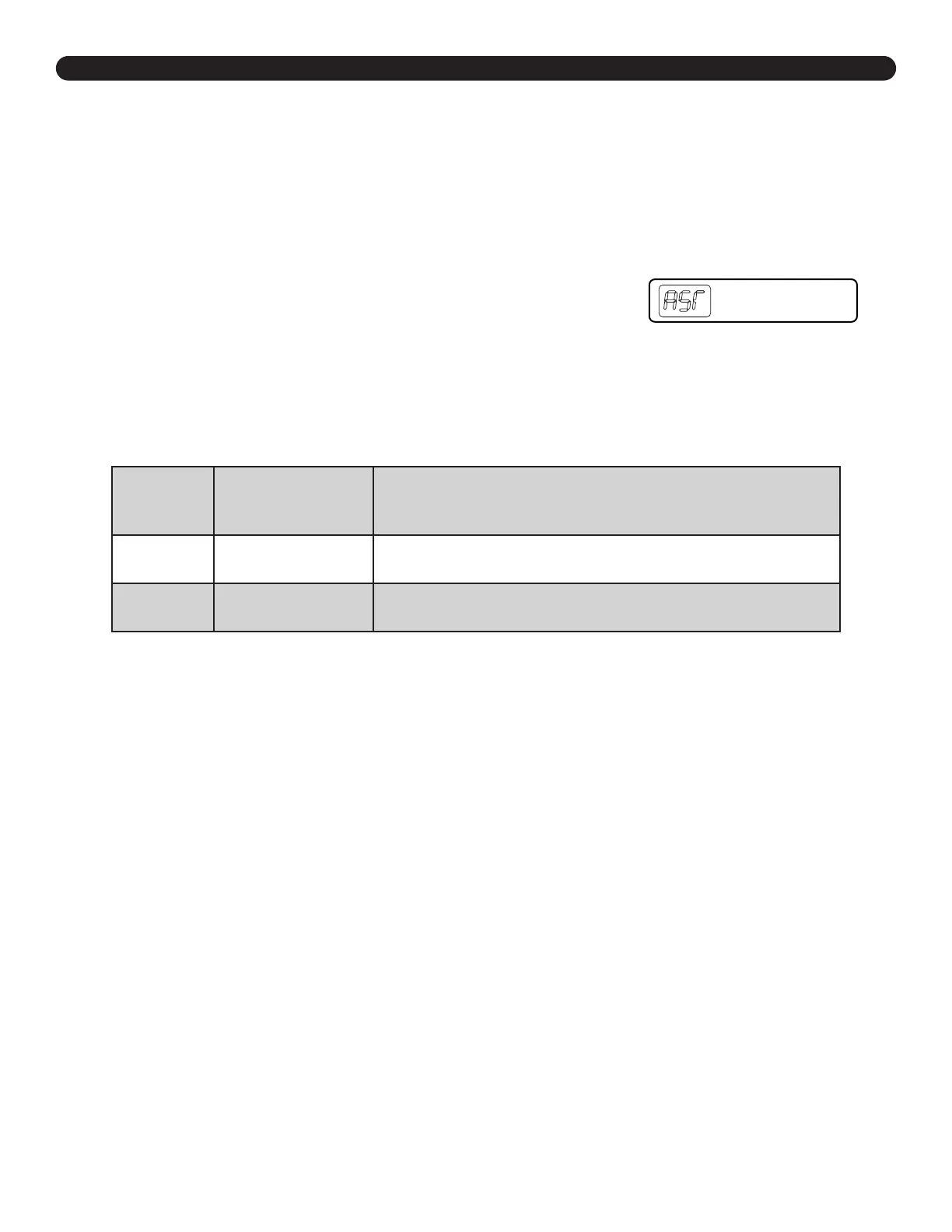
*Note: “RST” will look like
“ASr” on the display
Reset Procedure
1. Unplug the Power Cord and hold the DOWN button on the Keypad for 30 seconds.
2. Plug the Power Cord back in.
3. Hold the DOWN button until the desk reaches its lowest height, then release.
Hold the DOWN button again until the LED display reads “RST”
(or for about 10 seconds on the Basic Keypad without display), then
release.
Hold the DOWN button again until the desk lowers a bit,
then
slightly rises and stops, then release.
Your desk is now
ready to use.
4. Advanced Keypads and the Basic Display Keypad will display the current desk height and
you should be able to operate the desk.
5. You may also need to perform this Reset Procedure if the desk is unplugged or loses power.
Troubleshooting
If the error message persists after performing the Reset Procedure above or if there is a height difference
between the Legs which exceeds 1.5’’, contact UPLIFT Desk at the email address or phone number listed on
these instructions.
Code Description Troubleshooting Solution
H01 Overheated
The desk motor has a 10% duty cycle to protect from overheating. For
example, in a 20 minute period if your desk motor is activated for 2 minutes
you will want to let it rest for 18 minutes. Otherwise you may see an H01
code on your keypad
E01-E06
Firmware or
connectivity issues
Check all cables to ensure they’re all rmly plugged in, and perform Reset
procedure above
E07-E012 Legs are uneven
Perform Reset procedure above
Starting & Stopping
If your desk is continuously starting and stopping as you try to raise or lower it, check to make sure the
Control Box is attached securely to the Frame. The Control Box MUST be attached to your Frame in order
for your desk to function properly.


 To Next Page