© UPLIFT Desk • 800-349-3839 • 512-614-3152 • info@upliftdesk.com • upliftdesk.com
16
Programming (continued)
Display Units
Change the numeric display to show the desk height in either inches or centimeters.
l. Hold the DOWN button on the Keypad until the desk reaches the lowest height, then release.
2. Hold the DOWN button again until display ashes “RST”.
3. Press the “2” button until display shows “10.3” (centimeters) or “10.4” (inches) and goes
back to “RST”.
Note: While “RST” is still ashing, you can continue to press and hold the “2” button to toggle be-
tween the two settings.
4. Hold the DOWN button once more until the desk lowers slightly, then raises slightly, and the
display changes back to the numeric height setting, then release.
Minimum & Maximum Height Settings
The desk frame ships with the Control Box set to the lowest minimum height and the highest maxi-
mum height. The following steps allow the minimum and maximum height limits to be changed to
your preference.
Note: If your desk memory settings were previously set outside of the new minimum and maximum
height settings, they will default to the new minimum and maximum settings. To set new minimum
and maximum height settings, you will need to rst remove the current minimum and maximum
settings.
To set a new maximum desk height:
l. Move the desk to the desired maximum height pressing the UP or DOWN button.
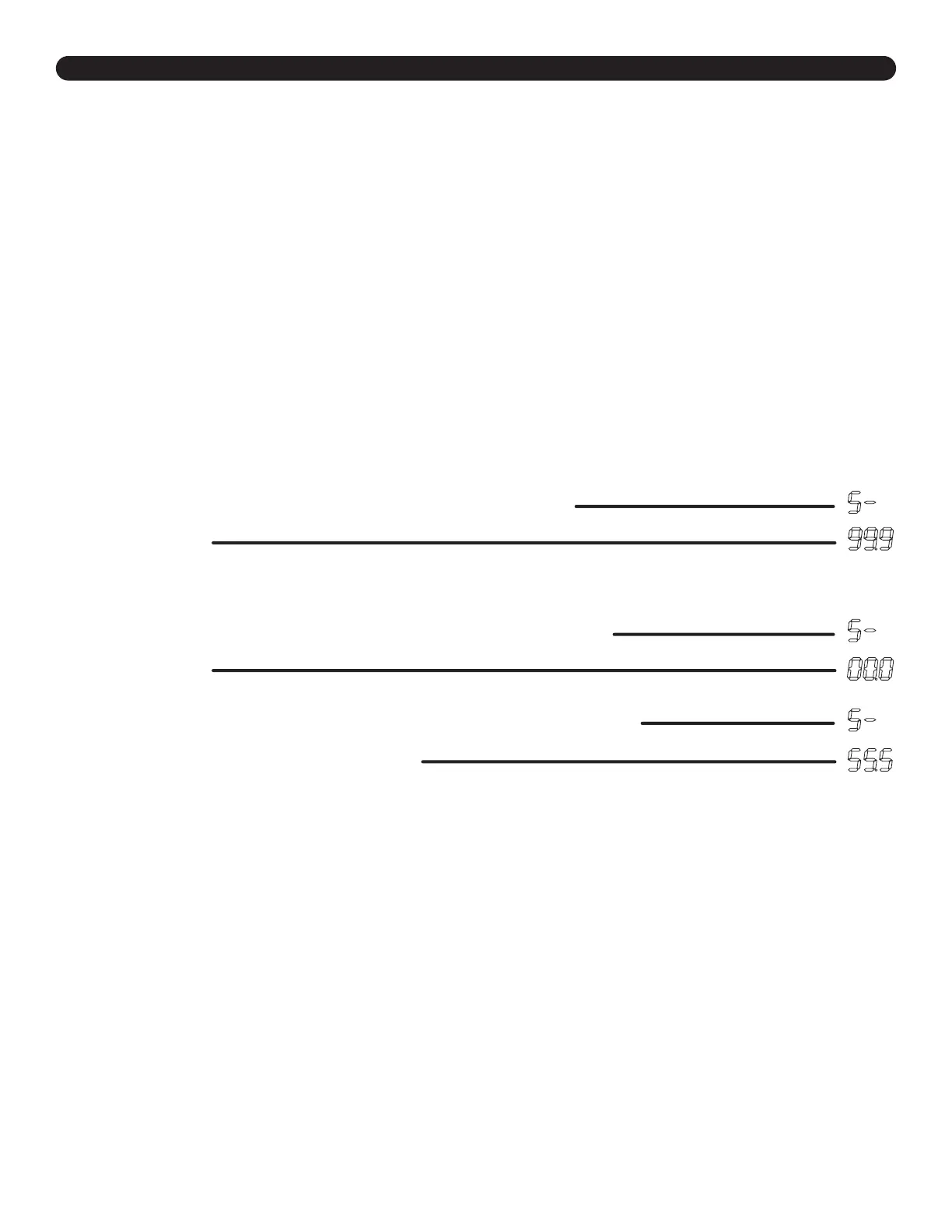
2. Press the “M” button once, and “S-” will appear on the display. Immediately follow by
pressing the UP button once, so the “S-” ashes once.
3. Hold the “M” button until the display shows “999” then changes to numeric value of new
upper limit.
To set a new minimum desk height:
l. Use the UP or DOWN buttons to bring the desk to the desired minimum height.
2. Press the “M” button once, and “S-” will appear on the display. Immediately follow by
pressing the DOWN button once, so the “S-” ashes once.
3. Hold the “M” button until the display shows “000” then changes to numeric value of new
lower limit.
Removing adjusted maximum and minimum heights:
l. Press the “M” button once and “S-” will appear on the display.
2. Hold the “M” button again until the display reads “555” and then changes to the
current numeric desk height setting.


 To Next Page