Section
3-9SB60 Work Platform
Maintenance
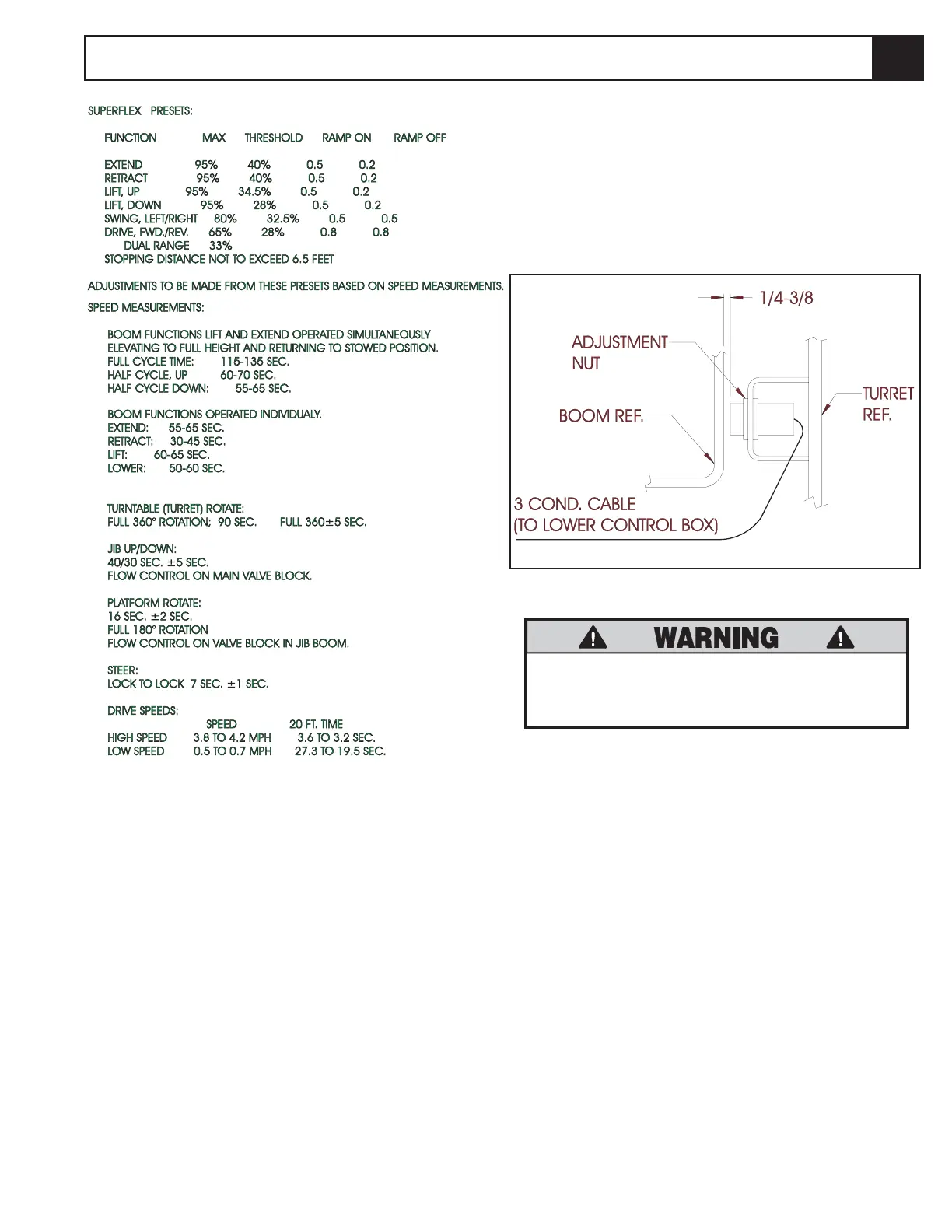
Figure 3-10: Proximity Switch
DO NOT attempt to adjust Limit Switches
without first blocking the elevating assem-
bly (see section 3.1).
1. Lower the Platform completely.
2. With the Platform / Chassis switch on Chassis, push
the Tilt Sensor base to test the alarm circuit.
3. If the alarm sounds, elevate the platform and adjust
the position of the switch 1/4" to 3/8". Lower the
platform and retest. If down limit switch is properly
adjusted, the tilt alarm will not sound.
4. With platform elevated, repeat step 2. When
switch is properly adjusted, alarm will sound.
3-6 Boom Proximity Switch
(Figure 3-6)
The Platform Down Switch bypasses the Tilt Sensor
when the platform is fully lowered and closes the circuit
to the Platform Down Relay, which allows high speed
travel, cage trim function and turret rotation.
3.6



 To Next Page