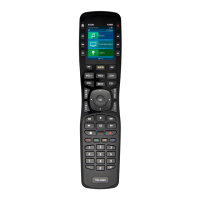
Complete Control
MX-790 / MX-790i
Owner’s Manual
Rev 1.3
Table of Contents
Introducing the MX-790
Thank you for purchasing URC’s MX-790 wand remote control. Its easy and
intuitive use helps to simplify your life while adding control of more things than
thought possible.
Online Support:
Complete Control is sold direct only and must be installed/program by a certied
custom integrator.
End-User Support:
Visit the URC Home Page for product information, owner’s manuals, and support
contact information.
Contact Support:
Complete Control is a URC product sold direct only. For questions or assistance
contact your Custom Installer/Programmer.
My Installer/Programmer
Technical Suppor t
Toll Free: 800-904-0800
Main: 914-835-4484
techsupport@urc-automation.com
H o u r s : 9 : 0 0 a m - 5 : 0 0 p m E S T M - F
Congratulations!...............................................................................................................1
Using the MX-790 .............................................................................................................2
Displaying the Settings Screen .....................................................................................3
Color Screen...............................................................................................................3
Button Lighting...........................................................................................................4
System .........................................................................................................................5
Erasing and Resetting...............................................................................................6
Specifications ...................................................................................................................7
Parts List ............................................................................................................................7
Limited Warranty Statement...........................................................................................7



 To Next Page