EasyManua.ls Logo

URC MX-990 - User Manual

URC MX-990
22 pages
Print Icon
To Next Page IconTo Next Page
Loading...
Owner’s Manual
MX-990
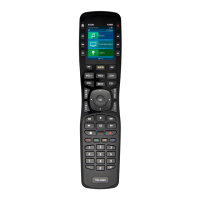
Universal Remote Control
Question and Answer IconNeed help?

Do you have a question about the URC MX-990 and is the answer not in the manual?

Summary

Before Getting Started

Installing the Battery Pack

Using the Charging Base

Instructions on how to charge the remote using the provided charging base.

Button Layout

Using the MX-990

Settings Menu

Sleep Timers

Adjusts the screen and backlight timeout for battery saving.

Event Timer and Date and Time

Event Timer

Schedule automated tasks and commands for specific times.

Power and Button Light Settings

Brightness and Sound Settings

Pickup and System Information

Factory Default and Exit Settings

Factory Default

Resets the remote to its original factory settings, erasing all programming.

Precautions & Information: Rechargeable Lithium Ion Batteries

URC MX-990 Specifications

General IconGeneral
BrandURC
ModelMX-990
CategoryRemote Control
LanguageEnglish

Related product manuals