BASIC SYSTEM DIAGRAMS
INSTRUCTIONS FOR URMET DOMUS DEVICE INTERCHANGEABILITY
8
−−−−
sec.1f
DOOR PHONE - VIDEO DOOR PHONE SYSTEMS: Installation Diagrams
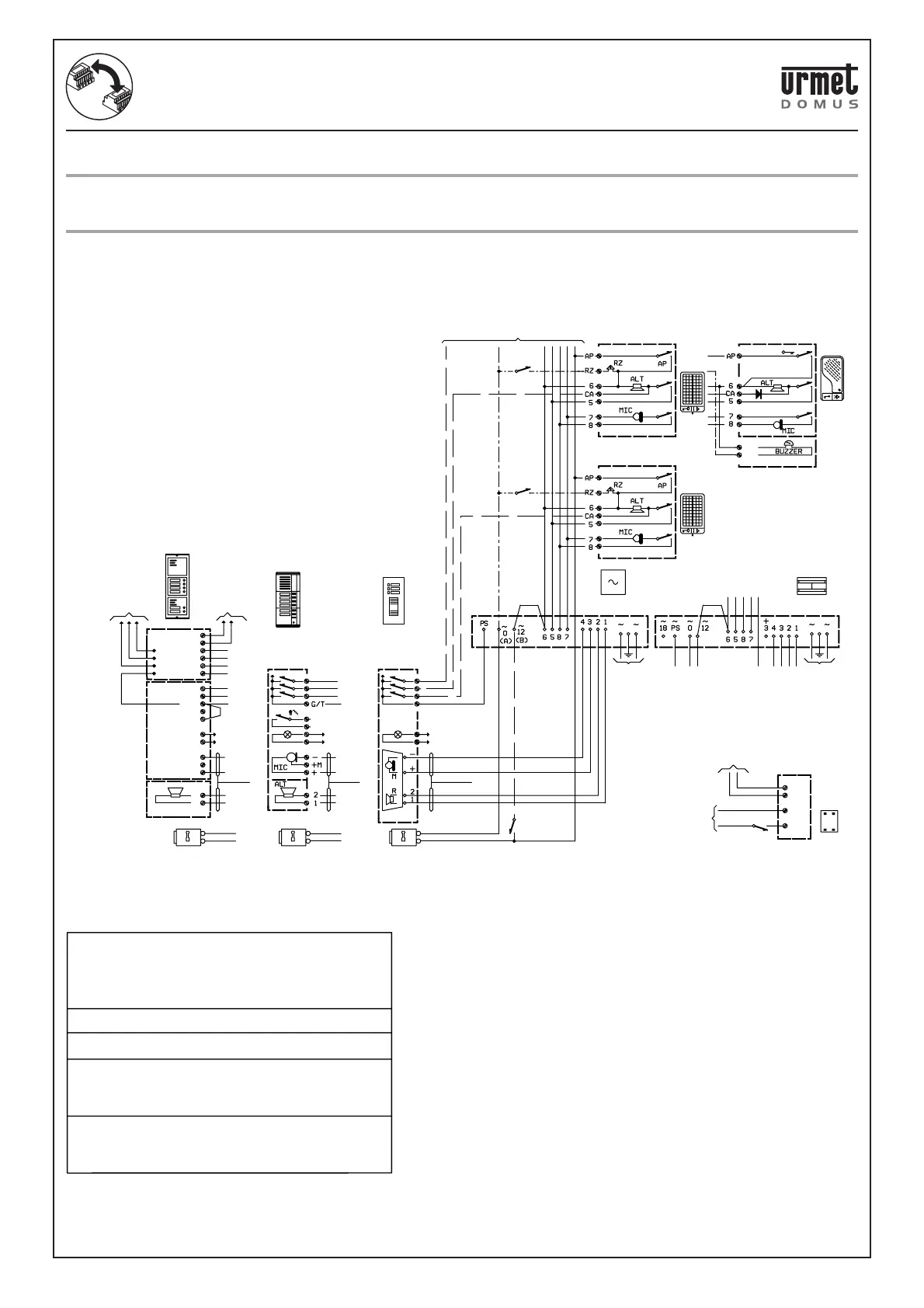
REPLACING DOOR PHONE TWO-CHANNEL SYSTEM POWER UNIT Ref. 4340/20
WITH Ref. 752/20
REPLACING TWO-CHANNEL SYSTEM DOOR PHONE APARTMENT STATION
Ref. 4340/23 WITH Ref. 752/23
REPLACING DOOR PHONE TWO-CHANNEL SYSTEM POWER UNIT Ref. 4340/20 WITH Ref. 752/20
REPLACING TWO-CHANNEL SYSTEM DOOR PHONE APARTMENT STATION Ref. 4340/23 WITH
Ref. 752/23
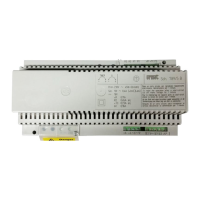
The Ref. 752/20 power unit can replace the obsolete Ref. 4340/20 model.
The Ref. 752/23 two-channel door phone apartment station replaces the Ref. 4340/23 model.
The correspondence between device terminals is shown in the following diagram.
SC101-0211B
(VX.014)
-/~
+/~
(V X.006)
(V D.007)
(VD.007)
(C 4.009)(C 4.009)(C 4.009)
(C 4.007)
~
~12
~
~0
2
1
~0
~12
G/T
~0
~12
G/T
U4
U3
U2
U1
G/T
U1
L
G/T2
U2
~12
~0
-
+M
+
ELECTRIC LOCK
ELECTRIC LOCK ELECTRIC LOCK
twisted
coupled
wires
twisted
coupled
wires
twisted
coupled wires
To bulb
transformer
To bulb
transformer
To bulb
transformer
4340/27 PANEL
AND DOOR UNIT
KOMBI FREE-HANDS PANEL
AND DOOR UNIT
TO THE
FOLLOWING
MODULE
Name tag
lighting
PUSH
BUTTONS
MODULE
Loudspeaker
module
Microphone
module
INDOOR SET
Ref.4340/23
INDOOR SET
Ref.752/23
TO THE FOLLOWING INDOOR SETS
POWER SUPPLY
Ref.752/20
POWER SUPPLY
Ref.4340/20
MAINS ~MAINS ~
Lock
Release
TRANSFORMER
MAIN ~
Name tag
lighting
C4.009 - IMPORTANT Use cord pairs.
VD.007 =
Floor call button.
C4.007 - Sinthesi models only:
See instruction booklet provided with
product for connecting terminals G/T,
~0 and ~12 between modules.
VX.014 - Dusk switch or similar device
for switching lights on, where
relevant.
VX.006 - See the instruction book
provided with the product for fitting
the accessory in the device.



 To Next Page