4. Symbologies
This chapter describes symbology features and provides programming barcodes for selecting
these features.
To set feature values, scan a single barcode or a short barcode sequence. The settings are stored
in non-volatile memory and are preserved even when the SR5600 powers down.
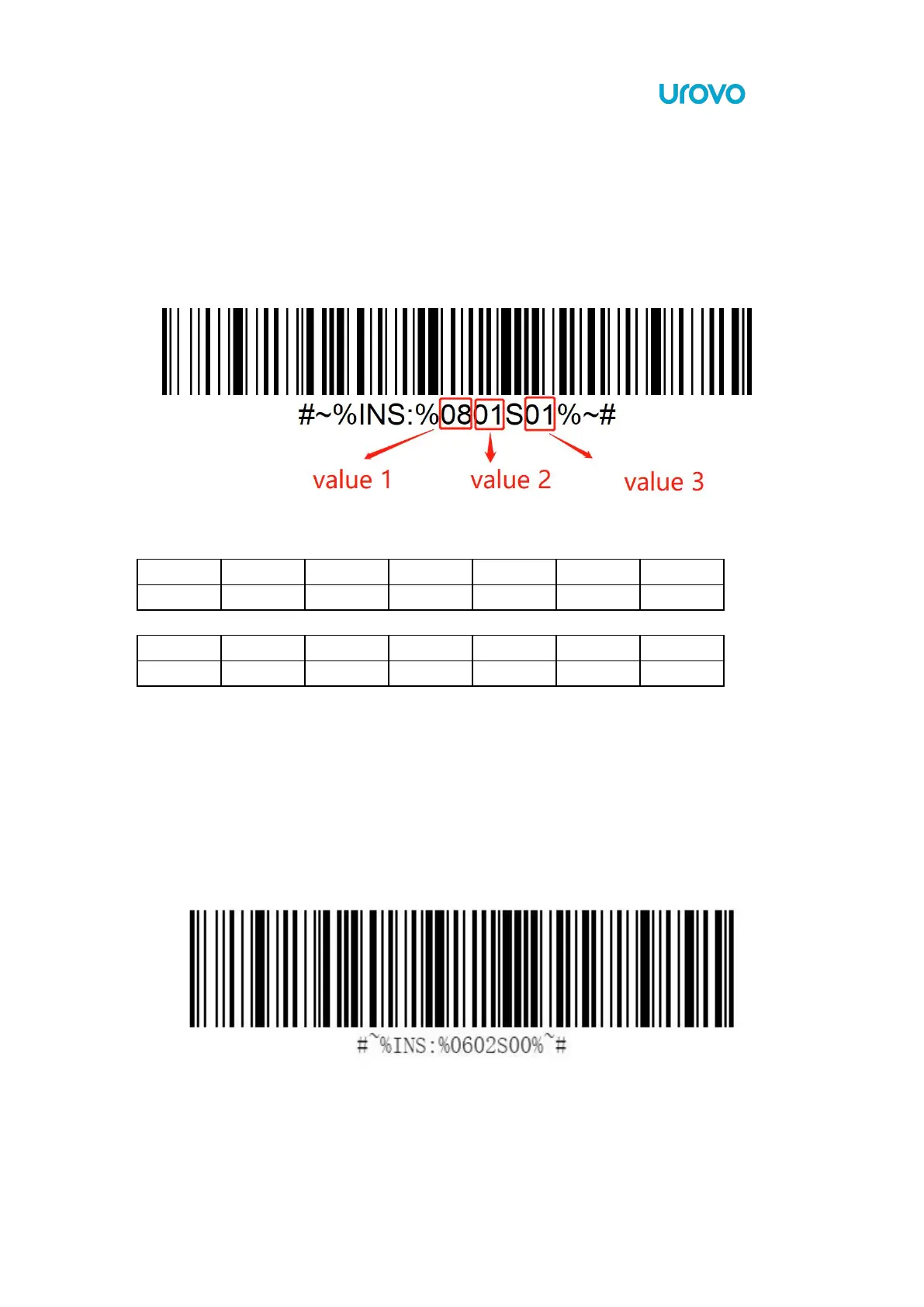
SPP Command Format:
Code 128 Setting:
HEX:’AA 04 08 01 00 0D BB’ to disable Code128 encoding.
HEX:
’
AA 04 08 01 01 0C BB
’
to enable Code128 encoding.
*The value 3 is the value following the character "S".
*XOR value can be calculated by (length, value 1,value 2, value 3)
Code 39
To enable or disable Code39, scan the appropriate barcode below.
*Disable Code 39



 To Next Page