1.7 Trigger Assembly
1.7.1 Installation instructions
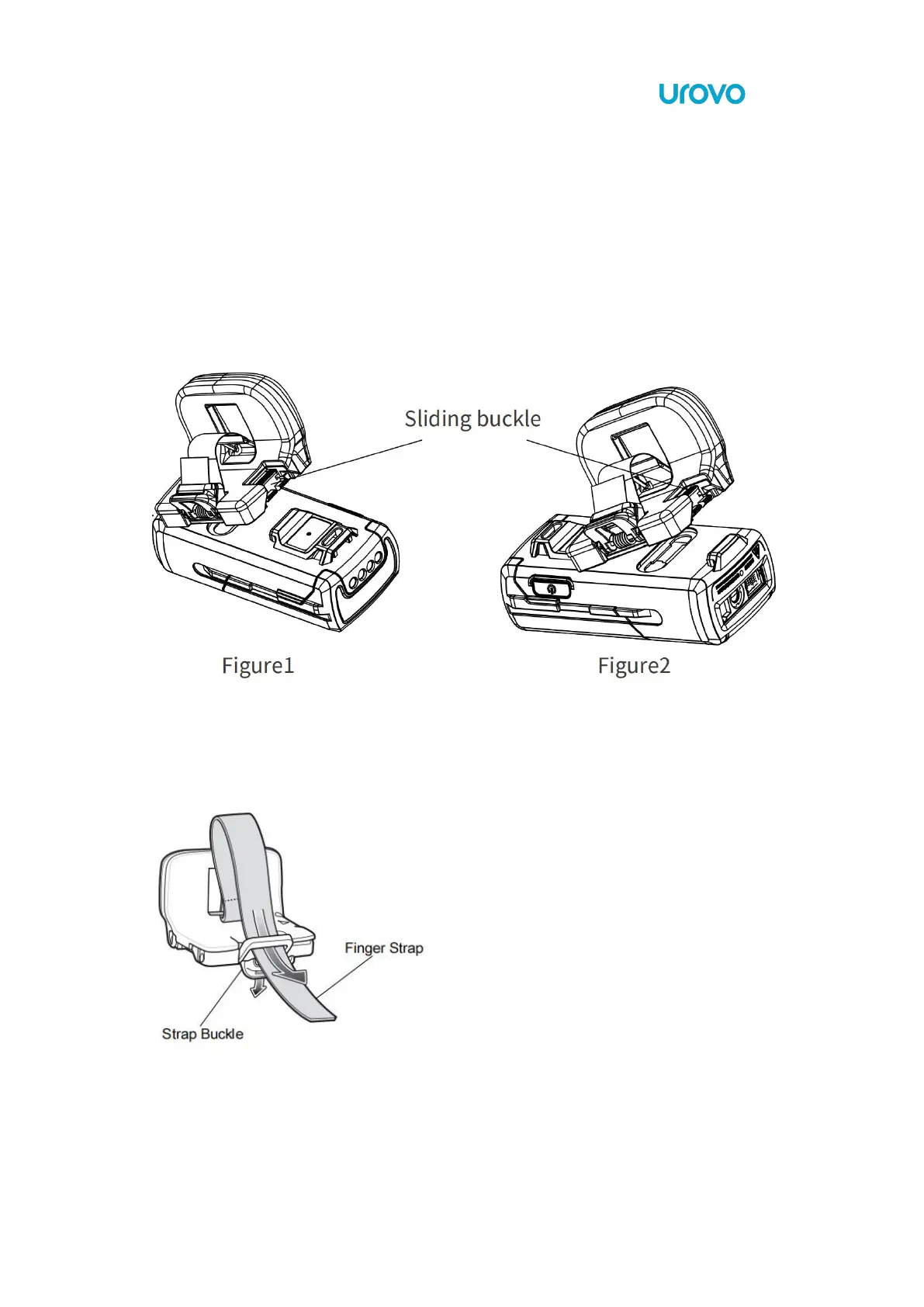
Align one end of the SR5600 lock catch and push the other end down until it clicks into
place.
The trigger assembly can be installed as required. The following figure 1 is for the right finger,
and figure 2 is for the left finger. Press the sliding buckle to remove the ring.
1.7.2 Adjust finger strap



 To Next Page