1. Getting Started
1.1 Introduction
This chapter describes the features of the SR5600 Ring Scanner and explains
how to install and charge the battery, capture data and reset the SR5600.
1.2 Unpacking
Carefully remove all protective material from around the equipment and save
the shipping container for later storage and shipping.
After opening the shipping box, inspect the contents. You should have received
the following:
SR5600
Battery
Simple Operation Guide
USB Cable
Power adaptor
Direct Charger
Inspect the equipment for damage. If you are missing any equipment or if you
find any damaged equipment, contact Support immediately. See Website:
http://en.urovo.com or local agent.
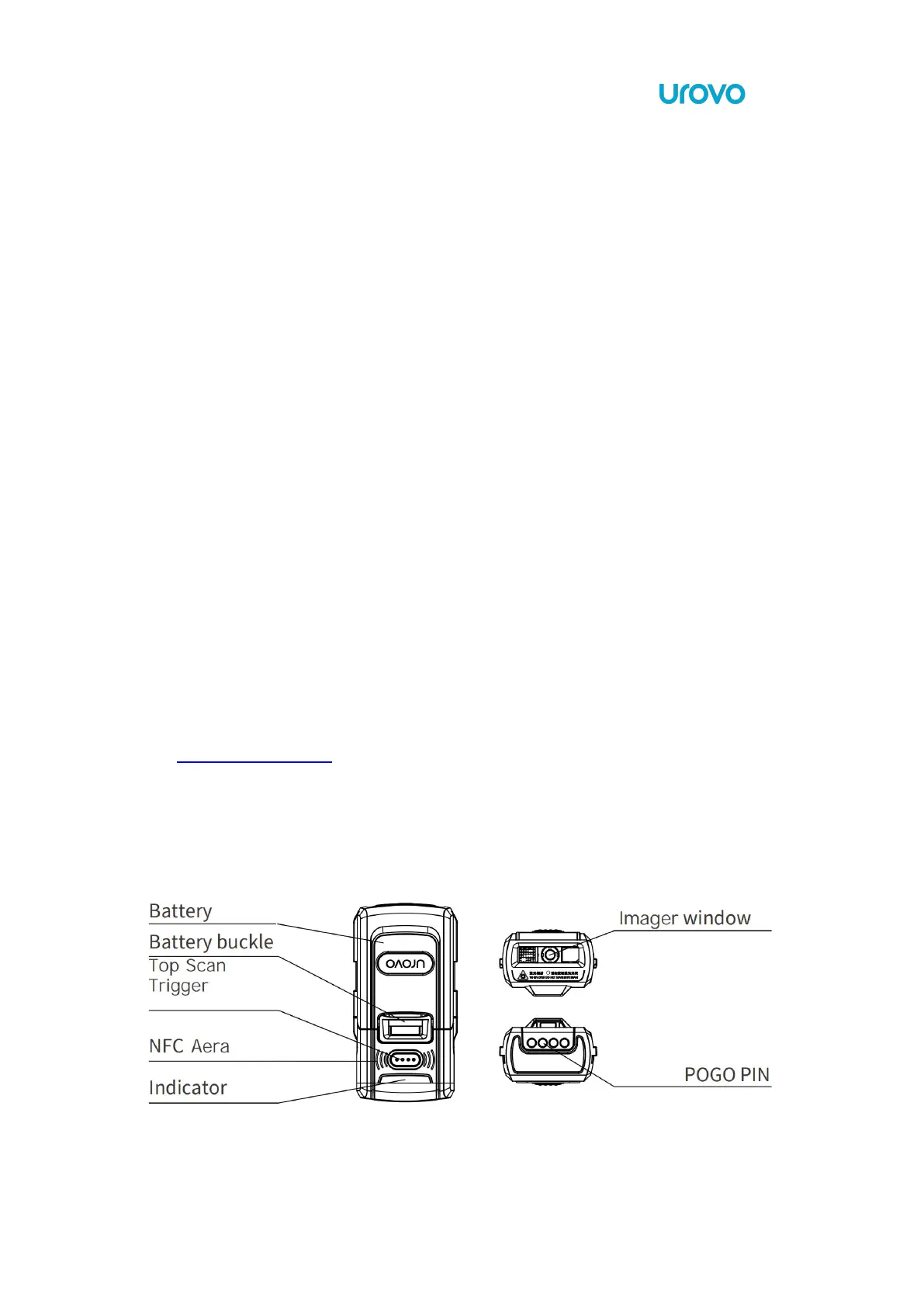
1.3 Configuration Features
Figure 1 SR5600 Trigger Configuration Features



 To Next Page