English
21
Once port forwarding is configured in your firewall or router, you will need to determine your external IP address
assigned by your ISP. This information can be obtained in your router's or firewall's user interface. You can also use third
party websites that can provide this information. Use the search term “what is my IP address” as an example to locate
these websites.
Write down your external address. Example: 12.34.56.78
Accessing a WebDav folder remotely, uses the same procedure as accessing a WebDav folder locally. The only change is
the external IP address.
Using the IP address above, the WebDav URL will be http://12.34.56.78/webdav/(folder name)
UPnP Media Server (Xbox 360, PS3, iTunes)
The Media server on the uShare™ Mini NAS Adapter can be used to share your mutlimedia content (photographs,
music and video) with an Xbox 360 video game console that is connected to the same local network.
Note:Before you start, make sure both devices are connected to the same local network and powered on.
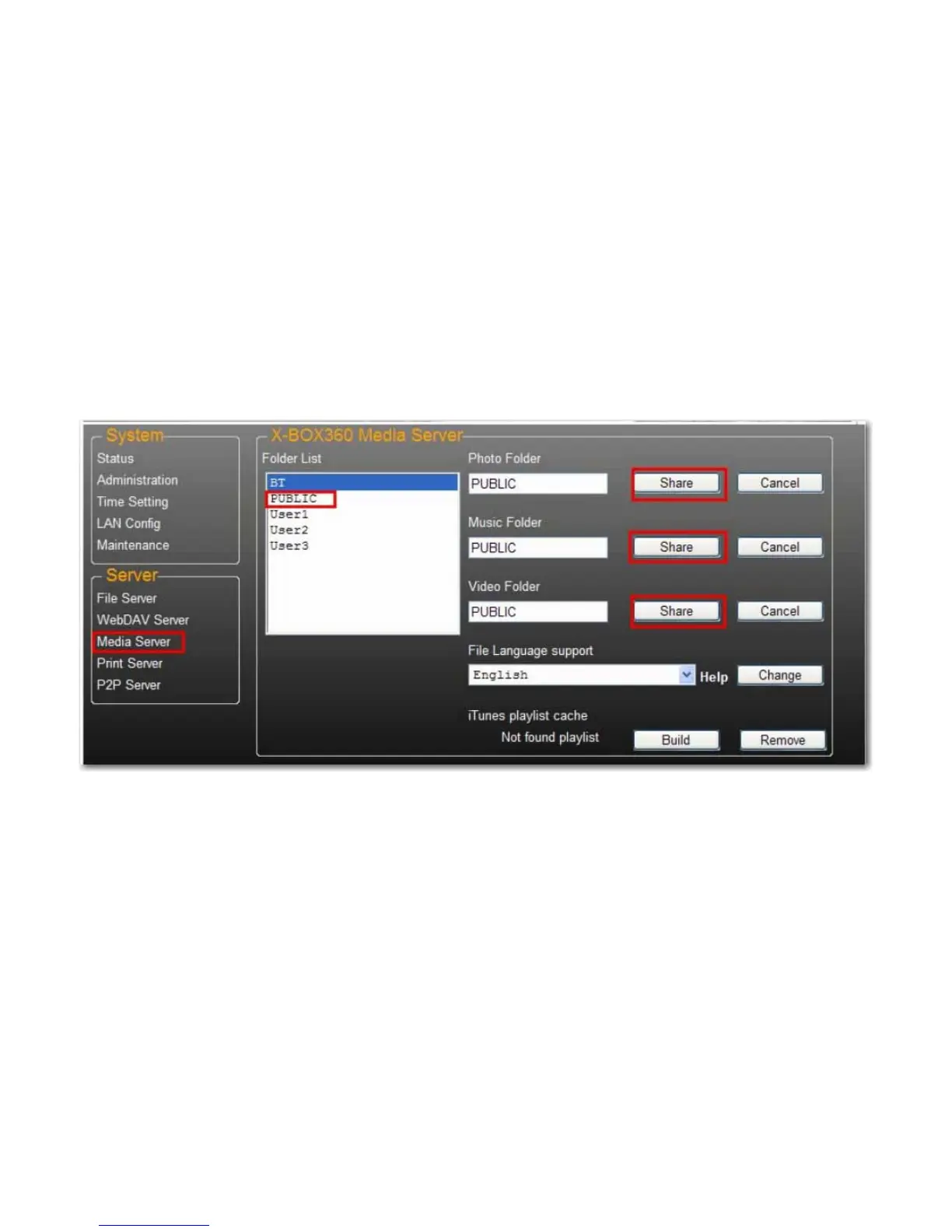
1. Go to the Media Server page and select the folder where you have the multimedia content and click Share.



 To Next Page