English
27
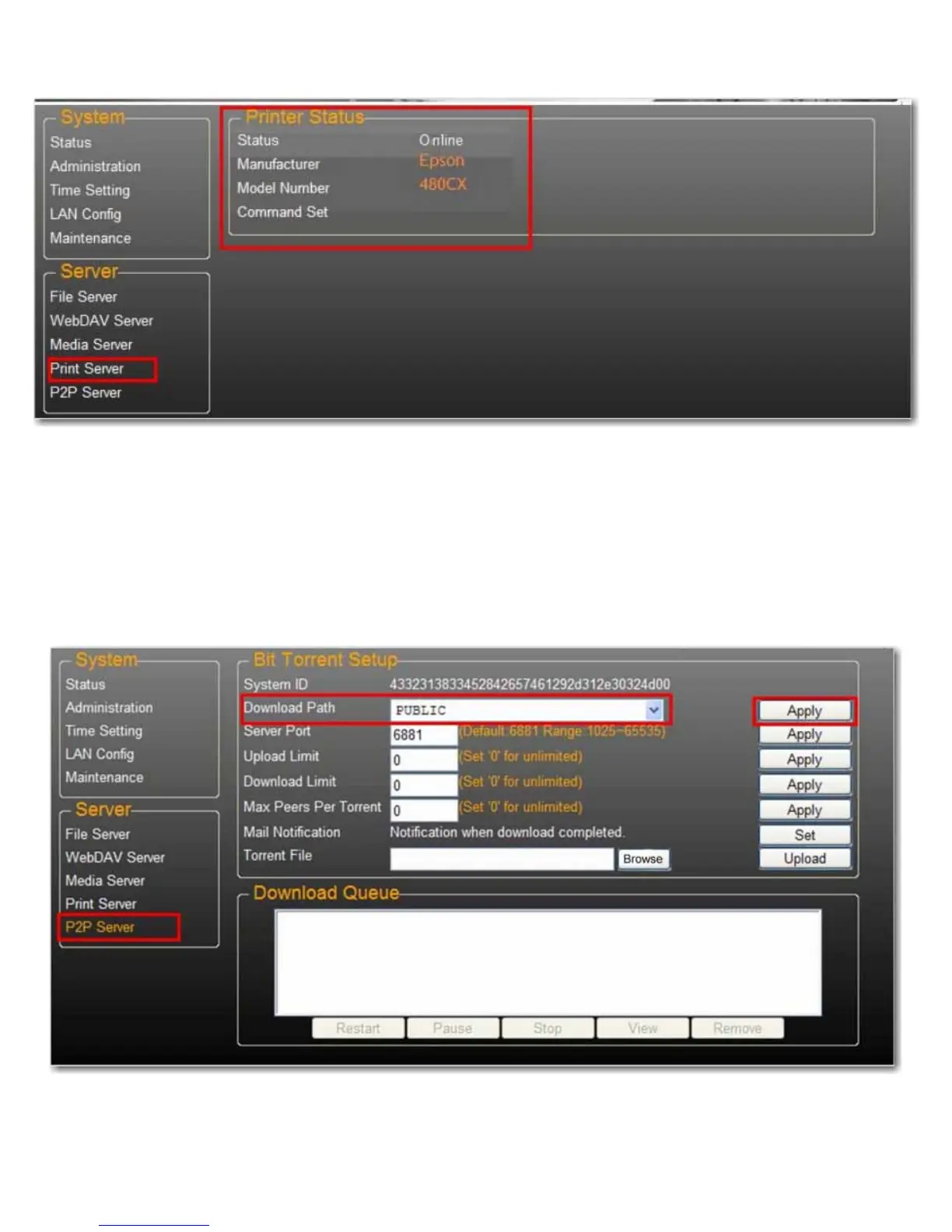
11.Go to the Print Server page and check the printer status. If status shows ok, the printer has been successfully set up.
Note:The print server in the uShare™ Mini NAS Adapter does not support GDI/Host-based printers. For some Multi
Function Printers (MFP), scanning functions may not work. Please contact the printer manufacturer for detailed
specifications.
P2P Server
The uShare™ Mini NAS Adapter supports Bit Torrent download independently without using PC resources. A
maximum of 4 bit torrent downloads can be running at the same time.
1. Select P2P Server. Select the Download Path you wish to use. Click Apply to save your settings.
Note:Do not change the path setting while any Bit torrent downloads are active. If you change the path setting while
downloads are in progress, the downloads will fail.



 To Next Page