English
6
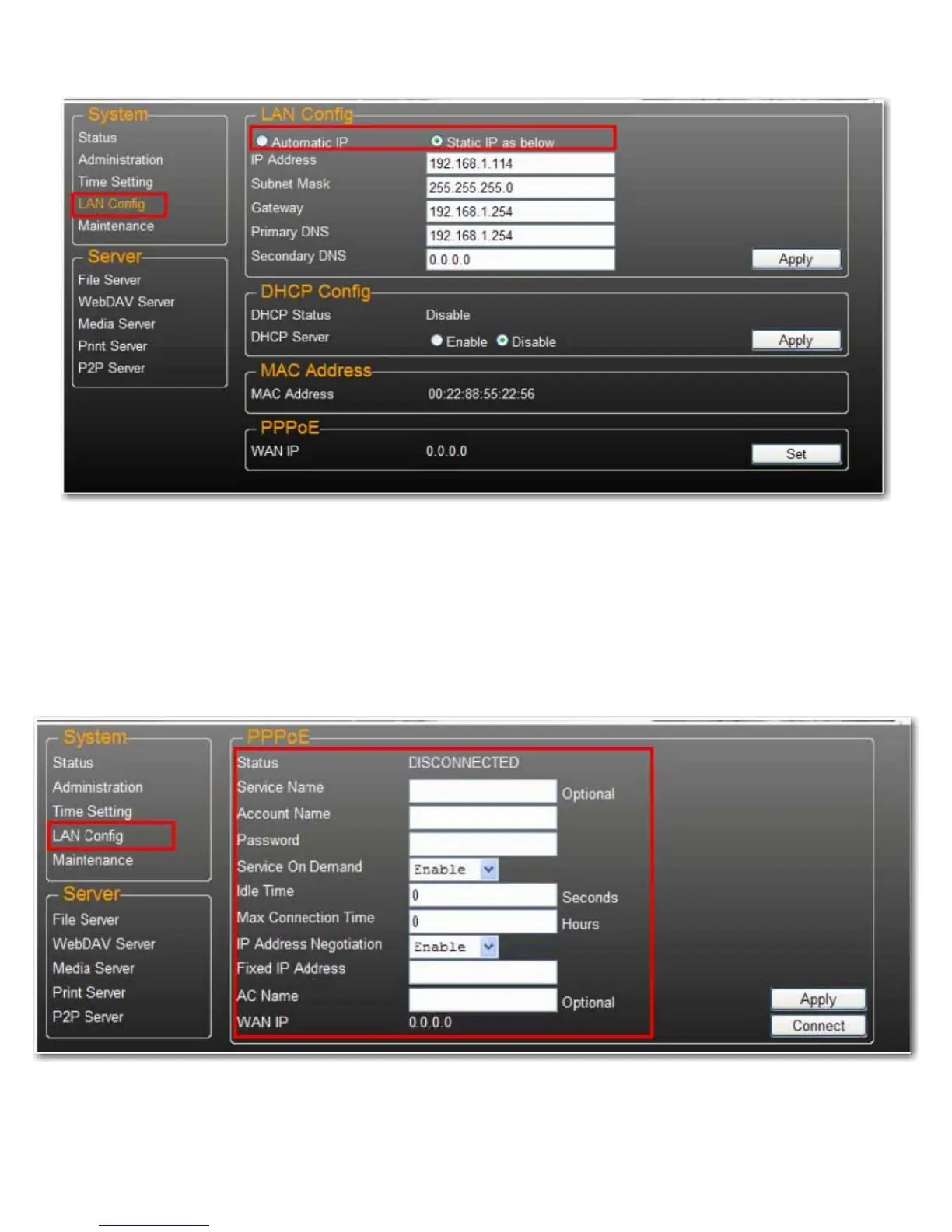
LAN Configuration
By default, the IP Setting is set to Automatic IP. This is the recommended setting and will allow the uShare™ Mini
NAS Adapter to obtain its IP address automatically.
If you prefer, select Static IP and enter your IP address, Subnet Mask, Gateway and Primary DNS server
information, then click Apply. Static IP addresses are useful when mounting network drives or using with port
forwarding.
PPPoE Settings
PPPoE (Point-to-Point Protocol over Ethernet) is an Internet connection protocol that lets users to connect to the
Internet without a router. All local users can share one PPPoE connection to access the Internet.
If you want to configure the setting of PPPoE for your NAS, click the Set button and enter the information for your
connection to you ISP.
• Status: Display PPPoE connection status.



 To Next Page