1.5 - UNDERSTANDING RASTERIZED VS. VECTORIZED IMAGES
There are two main ways that an image can be represented:
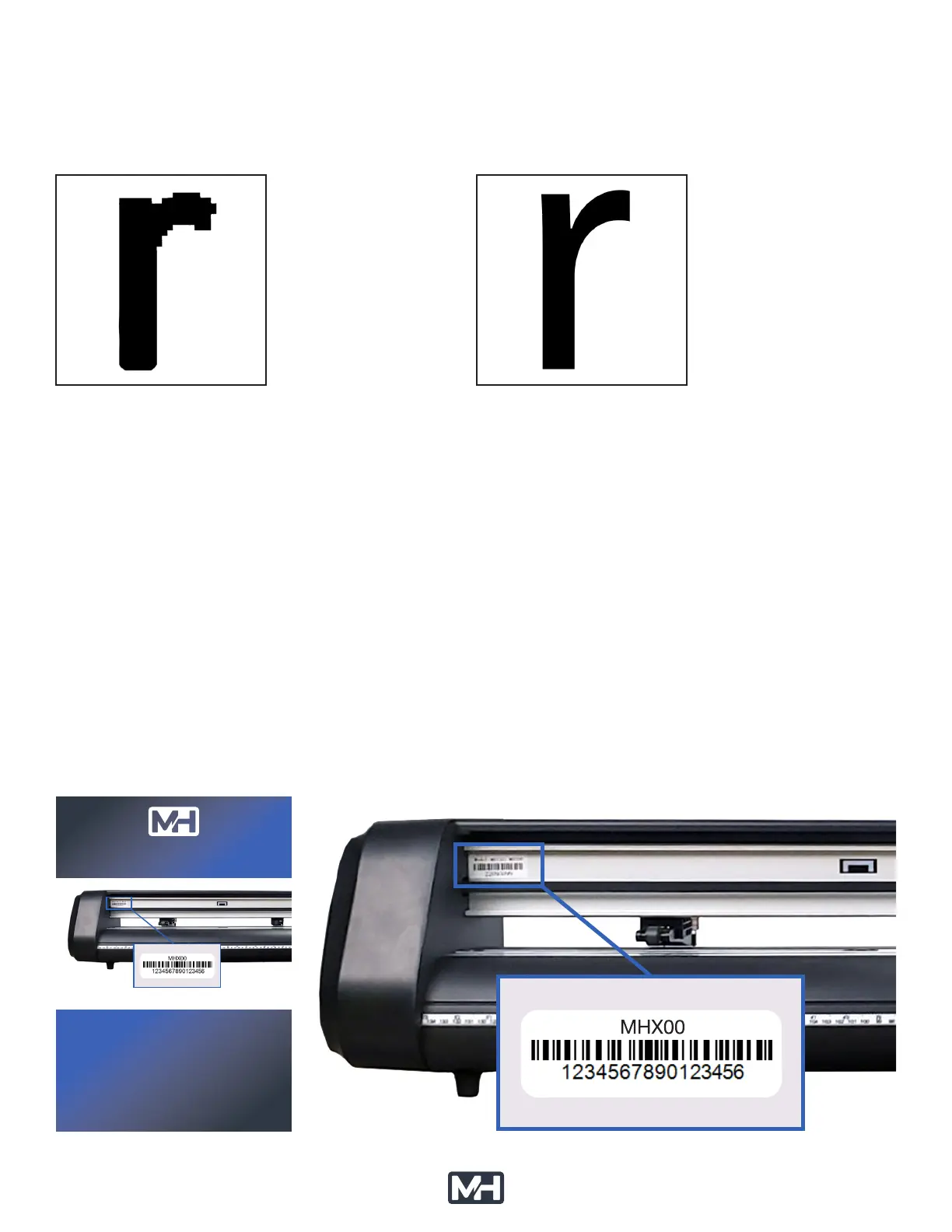
Rasterized:
are composed of
individual dots (pixels)
in a photograph.
These images have
such as .JPG .PNG .GIF
Vector:
are made from lines
(paths) between
points as you might
graphic drawing.
These images have
such as .AI .SVG .EPS
and the edges will not appear smooth. With vectors this is not a problem and you can enlarge the image
tracing features that allow you to import many different types of pixel images that can be converted
background typically work best. Please consult the training materials for VinylMaster to use the
1.6 - SOFTWARE DOWNLOAD SETUP: Vinyl Master (Windows PC)
Your MH cutter ships with a card that will allow you to use the serial number of the cutter to download
and activate VinylMaster on a Windows PC.
STEP 1: The image below shows the location of your machine serial number.
It is located on the front left side of the cutter’s cross-beam.
MHCARD-111323
INSTRUCTIONS FOR SOFTWARE
DOWNLOAD & ACTIVATION
TO ACTIVATE YOUR SOFTWARE:
STEP 1: The image above shows the location of your machine serial number.
It is located on the front left side of the cutter’s cross-beam.
STEP 2: Using your favorite browser, go to mhcutter.com
STEP 3: Create an account at mhcutter.com and go to the download page.
STEP 4: Enter your machine serial number to download the correct software.
STEP 5: Follow the installation instructions in the software installer program.
You can watch a video that covers the entire registration,
download & activation process at mhcutter.com/videos
YOUR MACHINE SERIAL NUMBER LOCATION
Software Download Card Machine Serial Number (MSN) Location



 To Next Page