Need help?
Do you have a question about the USCutter SC and is the answer not in the manual?
Details critical safety instructions regarding blade handling, power connections, and user age recommendations.
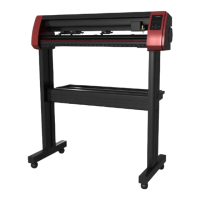
Lists all items provided in the SC Cutter package, including the main unit, stand, and accessories.
Provides guidance on ideal placement for the vinyl cutter, considering power, dust, stability, and access.
Instructions for attaching the feet to the stand legs, including orientation and screw placement.
Details on connecting the cross piece, roller brackets, wheels, and mounting brackets to the stand.
Guidance on securely mounting the SC Cutter unit onto the assembled stand.
Identifies and explains the function of various parts of the SC Cutter, viewed from the side.
Instructions for connecting the SC Cutter to a computer using serial or USB cables, including driver needs.
Steps for downloading and installing the bundled VinylMaster Cut software and its activation.
Detailed steps for properly loading vinyl media onto the cutter, adjusting pinch rollers, and engaging them.
Procedure for installing, adjusting blade depth, and securing the blade in the carriage for optimal cutting.
Guide to setting the cutting origin, adjusting cut speed, and configuring cutting force for different materials.
Instructions for performing a test cut, evaluating its quality, and adjusting blade, speed, and force.
Steps to calibrate the laser, test its offset, and adjust it for accurate contour cutting alignment.
Guidance on printing images with registration marks and aligning the cutter for precise contour cutting.
Solutions for common problems like erratic cutting, material feeding issues, and inconsistent cut quality.
Addresses specific cutting errors such as perforated cuts, blade skipping, and corner cutting inaccuracies.
Procedure for replacing worn cutting strips to maintain cut quality and cutter performance.
Guidance on inspecting and replacing cutting blades to ensure optimal cutting performance and prevent damage.
 General
| Blade Type | Roland Compatible |
|---|---|
| Interface | USB |
| Compatible Materials | cardstock |
| Software Compatibility | Sure Cuts A Lot |
| Power Supply | 110V/220V |

 To Next Page