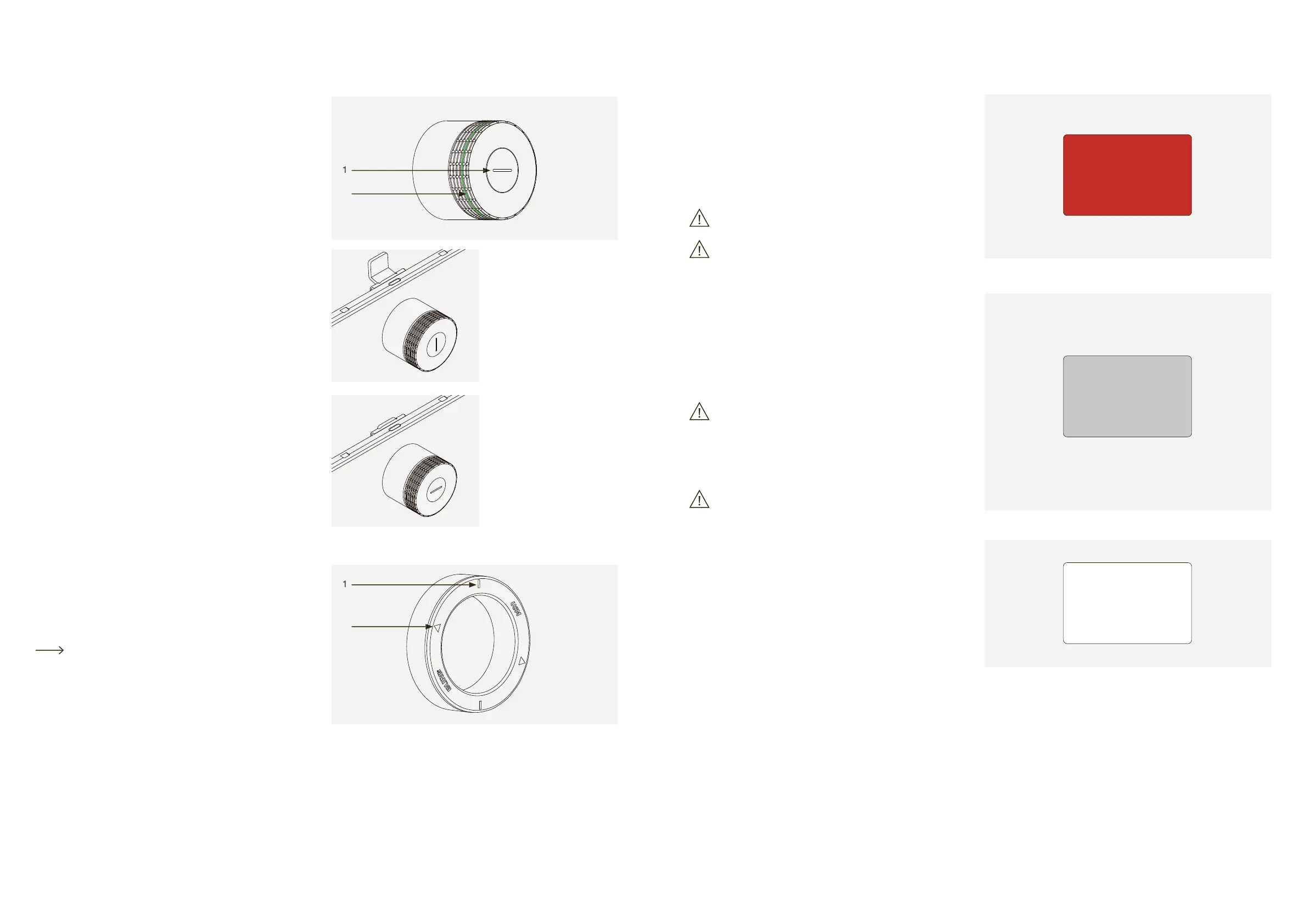
Lock C comprises an end cap with an indication
1 The indication slot shows if the lock is open
2 The light ring gives feedback via light signals.
If the indication slot is in vertical position, the lock bolt
If the indication slot is in horizontal position, the lock bolt
The service tool is used for changing the batteries
by simply placing it over the lock C. The service tool
contains a magnet that helps to remove the batter-
ies from the battery compartment.
Changing the batteries p. 20
1 Markers indicating the correct service tool alignment
The Main Admin card identifies you as the owner of
your locks and is used for administrative manage-
ment purposes (Admin cards).
During start-up, once the battery separator strip has been
removed, the card which first makes contact with lock C is
defined as the Main Admin card.
Once a Main Admin card has been programmed
(saved), it can no longer be deleted.
The Main Admin card cannot be used for opening
The Admin card can be used for an emergency
All locks which have been programmed on the card
can be opened in an emergency.
Unlike the Main Admin card, the assignment of Admin cards
can be cancelled or modified.
Between one (min.) and three (max.) Admin cards
must be programmed per USM Haller lock C.
The Admin card also connects the locks to the USM app.
That way, the Power User can easily manage the locks via
the admin area of the app, and up to three user modes can
be used at the user’s end.
The Admin card cannot be used for locking the
Key cards are used for opening and locking the
Area of use: Public Locker mode
Key cards are optional and can be ordered at the customer’s
In addition to USM key cards, companies can also use their
own RFID cards provided they support the ISO 14443A,
13.56MHz radio standard (e.g. MIFARE Classic, MIFARE
DESFire EV1 + EV2, MIFARE Ultralight EV1, LEGIC prime,
If companies wish to use their own RFID cards, we recom-
mend checking compatibility in advance.
Main Admin
Admin
User


 To Next Page