EasyManua.ls Logo

USM Haller - User Manual

USM Haller
16 pages
Print Icon
To Next Page IconTo Next Page
Loading...
Instruction manual
Haller
Haller
Lock C
Lock C
Question and Answer IconNeed help?

Do you have a question about the USM Haller and is the answer not in the manual?

Summary

Product Information

User Modes

Describes the three distinct user modes: Public, Personal, and Shared Locker modes.

Product Parts

Main Admin Card

Identifies the Main Admin card as the owner identifier for lock management.

USM App

Details the USM app's availability and functionality for managing locks.

Start-up

Step 1: Initiating Lock C

Guide to initiating the lock C by removing the battery separator strip.

Step 2: Programming the Main Admin Card

Instructions for programming the Main Admin card to the lock.

Step 3: Programming the Admin Cards

Procedure for programming additional Admin cards to the lock.

Management with the USM App

Personalisation with Grants

Lock Settings

Auto Close

Firmware Updates

Emergency Opening with Open the Locker

Switch to Public Locker Mode

Transferring Admin Rights

Deprogramming Admin Cards

Changing the Batteries

Flashing Signals

Operating Lock C

Locking Lock C

Instructions for locking the lock C using a card or smartphone.
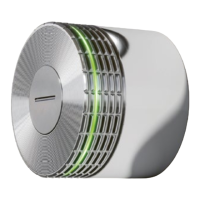
Opening Lock C

Instructions for opening the lock C using a card or smartphone.

FAQ

USM Haller Specifications

General IconGeneral
BrandUSM
ModelHaller
CategoryLocks
LanguageEnglish