04 | Value router setup guide
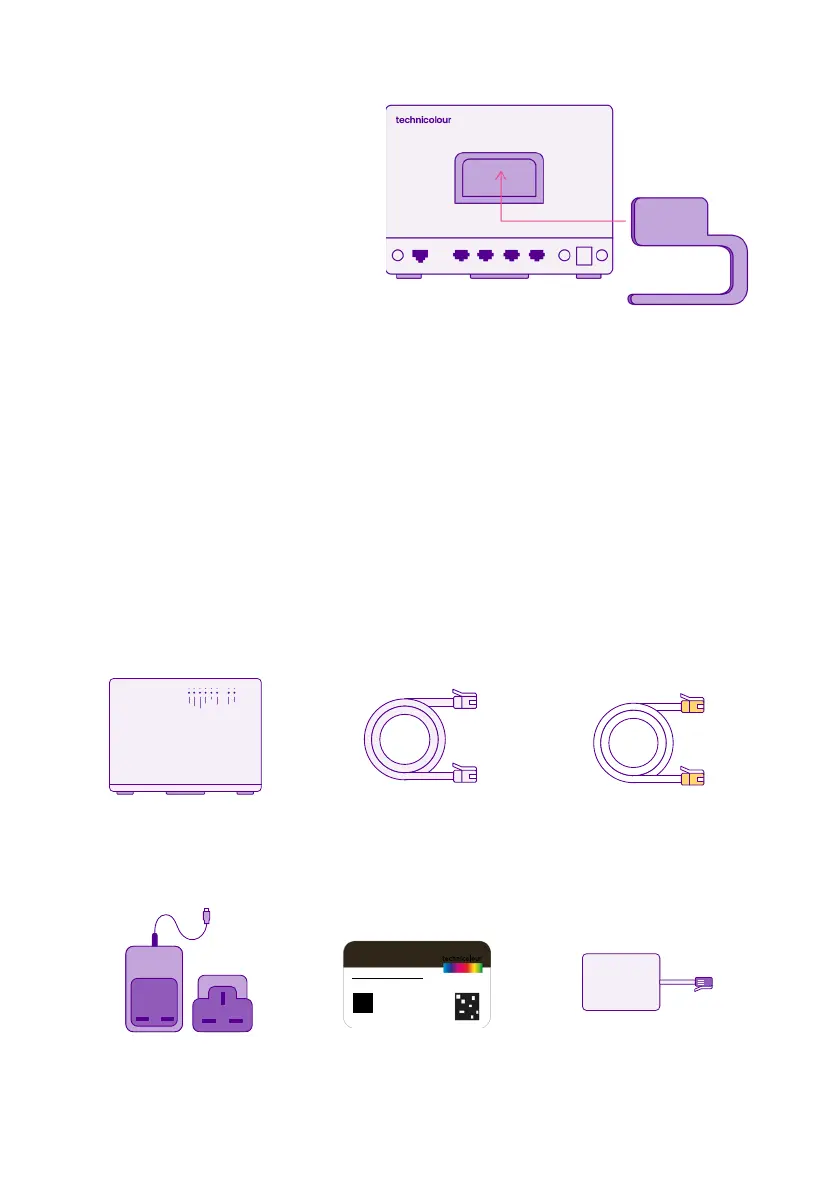
Router
(with stand)
Start
Before you start use the
stand to get your router
in an upright position.
Check
Your activation date
Please wait until we’ve activated your broadband before you setup
your router.
You’ll find your activation date in the letter that came with your broadband
router box. Your service could go live anytime up to midnight on this date.
Power Supply Wireless Settings Card Microfilter
(if requested)
DSL Cable
(grey with grey ends)
Ethernet Cable
(white with yellow ends)
technicolour
technicolour
NETWORK NAME: YOUR NETWORK
NETWORK KEY: YOUR NETWORK PASSWORD
INFORMATION INFORMATION
INFORMATION
technicolour
CLICK


 To Next Page