09
Help
Having trouble connecting?
There are some simple steps you can take before calling us.
• Check that everything is connected properly. Refer to pages 6
and 7 to see what your setup should look like.
• Check the power light on the router is on. If it’s not, please make
sure that your power supply is plugged in properly.
• Check that Wi-Fi is enabled on your device if you’re connecting
wirelessly.
• Check you’ve entered the details on your Wireless Settings
Card correctly.
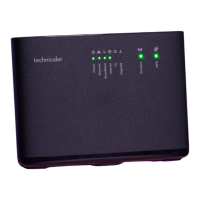
• Restart your equipment. Push the black on/off button on the back
of the router. After 20 seconds, push the on/off button again.
A sequence of lights will come on which may take a minute or two
to stabilise. Now try connecting to the internet again.
Still need help?
If you’ve followed all the steps in this guide and are still experiencing
difficulties, please call us on 0333 777 0777 or visit uw.co.uk/help
Tip
Visit uw.link/router-set-up to watch a quick
video walk-through of setting up a router.


 To Next Page