EasyManua.ls Logo

UTILITY ROCKET V1.0 - Page 9

UTILITY ROCKET V1.0
23 pages
Print Icon
To Next Page IconTo Next Page
To Previous Page IconTo Previous Page
Loading...
Rocket Access Point
6
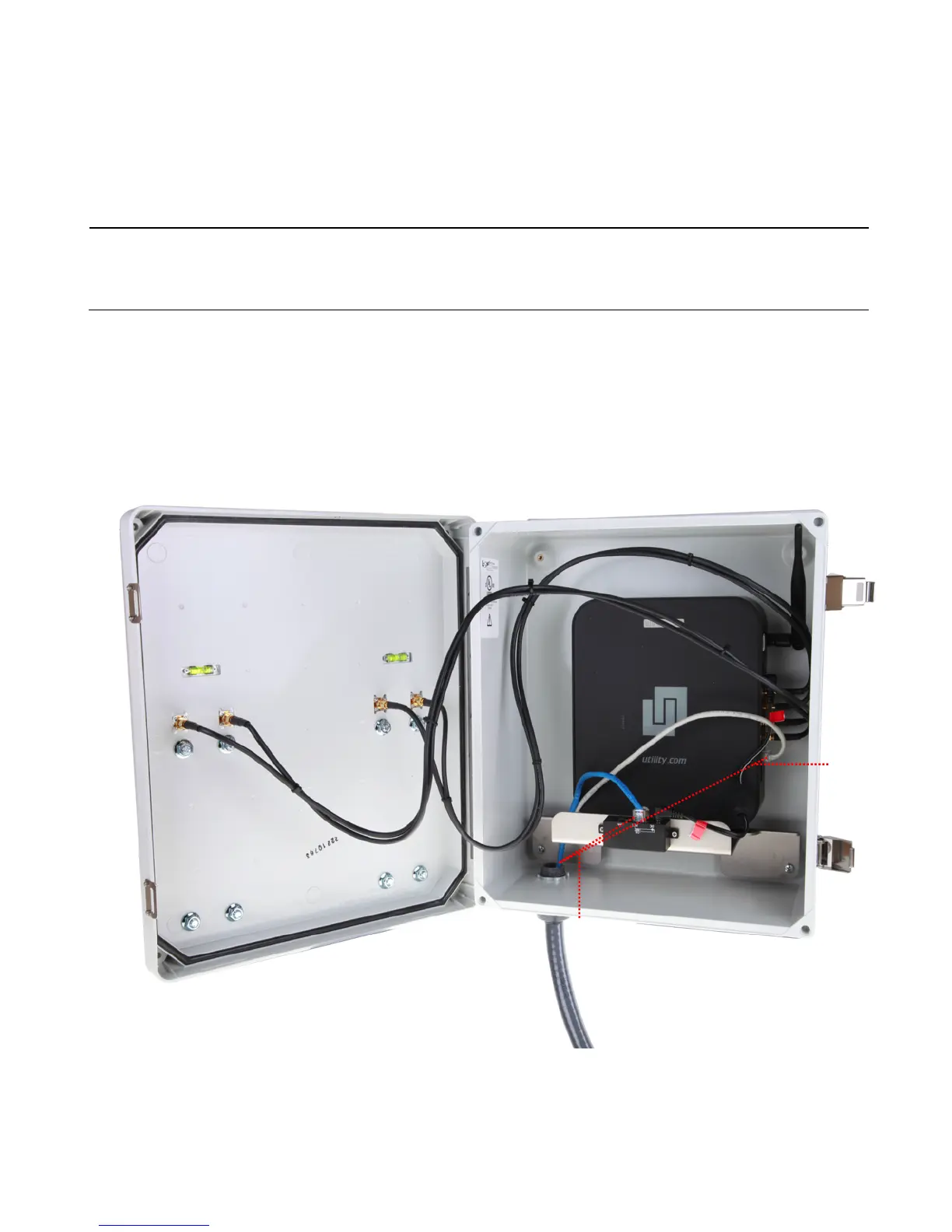
5. Connect an Ethernet cable from one of the RAP's three (3) Ethernet LAN ports to the POE Switch port
located on the front of the internal mount that secures the RAP unit in the enclosure on the inside of
the RAP’s enclosure.
Note: Make sure that you do not connect the network cable into the console port located directly above the Ethernet
LAN ports.
6. Connect your POE network patch cable into the POE Switch port located on the front of the internal
mount that secures the RAP unit in the enclosure on the inside of the RAP’s enclosure.
7. Plug any additional Ethernet patch cables that lead to other access points or routers (Optional).
5
6