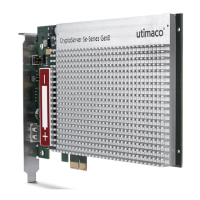
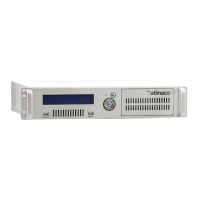
1 Introduction
Thank you for purchasing our CryptoServer LAN security system with an integrated
CryptoServer Se plug-in card (referred to below as CryptoServer LAN). We hope you are
satisfied with our product. Please do not hesitate to contact us if you have any complaints or
comments.
1.1 About this Manual
The Utimaco IS GmbH reserves the right to modify or amend this manual at any time without
prior notice. Utimaco IS GmbH assumes no liability for typographical errors and damages
incurred due to them.
1.1.1 Target Audience for this Manual
This manual is intended for system administrators who bring the CryptoServer LAN with an
integrated CryptoServer Se-Series into service and administer it.
1.1.2 Contents of this Manual
In this operating manual you will find all the necessary information for using the hardware of
the CryptoServer LAN as well as essential security instructions that are to be followed in order
to ensure that the device can be operated safely.
1.1.3 Document Conventions
We use the following conventions in this manual:
Items of the Graphical User Interface
(GUI), e.g., menu options
File names, folder and directory
names, commands, file outputs,
programming code samples
You will find the file example.conf in
the /exmp/demo/ directory.
References and important terms
See Chapter 3, "Sample Chapter" in the
CryptoServer LAN/CryptoServer
CryptoServer Command-line Administration
Tool -csadm -Manual for System
Administrators.


 To Next Page