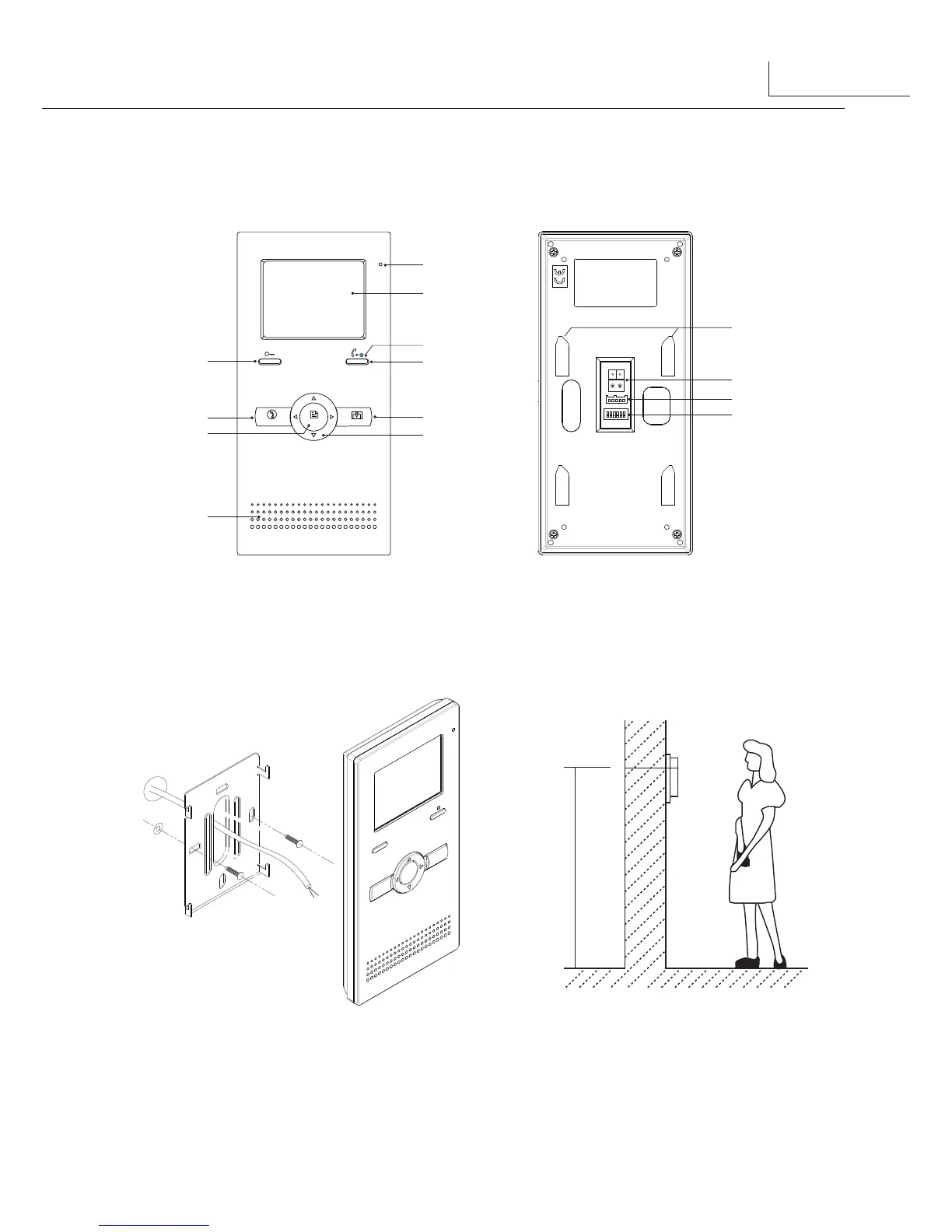
1.Parts and Functions
2.Monitor Mounting
1
Microphone
LCD Screen
LED Indicator
CALL Button
MONITOR Button
Direction Button
UNLOCK Button
TALK Button
MENU Button
Speaker
Mounting Hook
Connection Port
Extend Port
DIP Switches
1 2 3 4 5 6
ON
TALK
MENU
MONITOR
1. Use the screws to fix the Mounting Bracket on the mounting box.(fitting accesories
includes a Bracket (Two pieces of 4X25 screws are needed for fastening the Mounting
Bracket), Special 2 wire cables to connect with Monitor)
2. Wire the system correctly(see the later connection chapter) then hang the Monitor on
the Mounting Bracket firmly.
145~160 cm



 To Next Page